


A potential customer lands on your Shopify store, excited to buy your product. But within 10 seconds, they’re frustrated, confused, and clicking the back button. Why? Poor navigation structure. You’ve just lost a sale and hurt your SEO rankings simultaneously.
As someone who’s spent over 8 years optimizing Shopify stores and delivering comprehensive SEO services, I’ve seen how the right navigation structure can increase organic traffic by up to 47% and boost conversion rates by 32%. Today, I’m sharing the exact strategies that have helped hundreds of ecommerce SEO clients transform their Shopify stores into search engine magnets.
Shopify SEO isn’t just about keywords and meta descriptions – your navigation structure is the backbone that holds everything together. When done right, it becomes a powerful tool that guides both users and search engines through your store efficiently.
Why Your Shopify Navigation Structure Makes or Breaks Your SEO Success
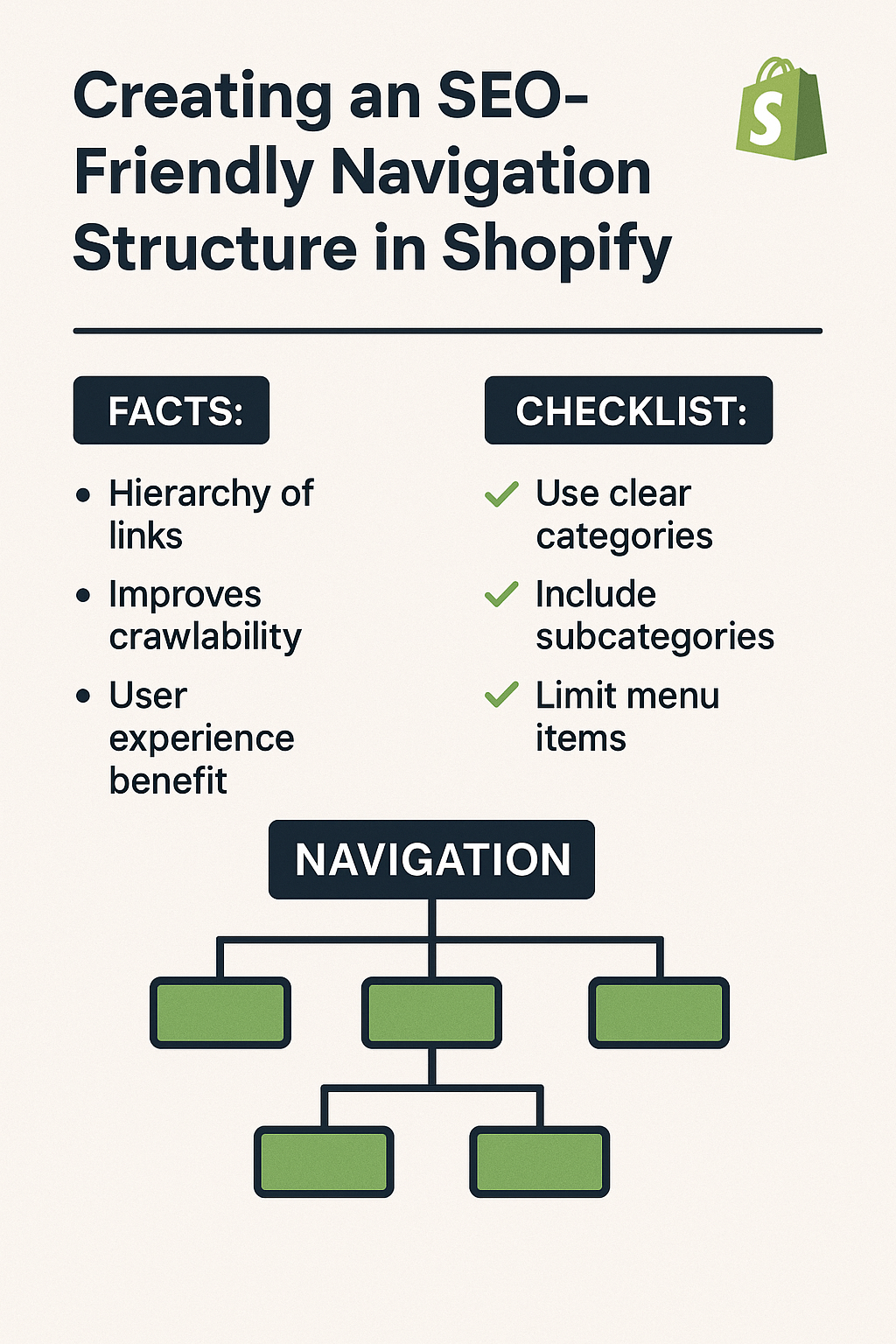
Your navigation structure directly impacts three critical SEO factors that Google uses to rank your store. First, it affects crawlability – how easily search engines can discover and index your pages. A well-structured navigation acts like a roadmap, ensuring every important page gets found and ranked.
Second, navigation influences user experience signals that Google monitors closely. When visitors can find what they need quickly, they stay longer, browse more pages, and engage better with your content. These positive user signals tell Google your store provides value, leading to higher rankings.
Third, internal linking through navigation distributes page authority throughout your site. This on-page SEO technique helps your product pages gain ranking power from your homepage and category pages, creating a network effect that boosts your entire store’s visibility.
Consider the case of outdoor gear retailer MountainPeak Store. After restructuring their navigation using these principles, they saw a 63% increase in organic traffic within four months. Their average session duration increased from 1:42 to 3:28, and their bounce rate dropped from 68% to 41%.
How Search Engines Crawl and Index Your Shopify Store Navigation
Search engine bots follow a systematic process when crawling your Shopify store, and your navigation structure determines their success. These bots start at your homepage and follow links to discover new pages. A logical, hierarchical navigation structure ensures they can reach every important page within three clicks.
Google’s crawl budget – the number of pages it crawls on your site – is limited. Poor navigation wastes this budget on unimportant pages while leaving valuable product pages undiscovered. Smart navigation prioritizes your most important pages in the main menu, ensuring they get crawled and indexed quickly.
The depth of your navigation matters significantly. Pages buried five or six levels deep rarely get the attention they deserve from search engines. This is why successful Shopify stores follow the “three-click rule” – any product should be reachable within three clicks from the homepage.
Technical aspects like navigation markup also influence crawling. Using proper HTML structure with semantic elements like <nav>, <ul>, and descriptive anchor text helps search engines understand your site’s organization better.
What Makes Navigation Structure SEO-Friendly in Shopify Stores
SEO-friendly navigation combines logical organization with technical optimization to serve both users and search engines effectively. The foundation starts with a clear hierarchy that reflects your business priorities and customer journey.
Keyword-optimized menu labels play a crucial role in semantic SEO. Instead of generic terms like “Products” or “Services,” use specific, search-friendly labels that match what your customers actually search for. A pet supply store should use “Dog Food & Treats” rather than just “Pet Food.”
Breadcrumb navigation provides additional SEO value by creating internal linking pathways and helping users understand their location within your store. These navigational aids reduce bounce rates and improve the overall user experience that Google rewards with higher rankings.
Mobile-first navigation design has become essential since Google’s mobile-first indexing. Your navigation must work flawlessly on smartphones and tablets, with touch-friendly buttons and fast-loading dropdown menus.
URL structure integration ensures your navigation aligns with your site architecture. Clean, descriptive URLs that match your navigation categories create consistency that both users and search engines appreciate.
7 Proven Strategies to Build SEO-Optimized Shopify Navigation
Strategy 1: Create a Logical Category Hierarchy
Start by mapping out your products into clear, logical categories that reflect how customers think about your offerings. Avoid going more than three levels deep in your category structure. For example, a fashion store might use: Clothing > Men’s Clothing > Shirts, rather than creating unnecessary subcategories that confuse both users and search engines.
Research shows that stores with well-organized category structures see 23% higher conversion rates. Use tools like Google Analytics to understand how customers navigate your current site, then restructure based on these insights.
Strategy 2: Optimize Menu Labels with Target Keywords
Replace generic menu labels with keyword-rich alternatives that match search intent. Instead of “About,” use “About [Your Brand Name].” Replace “Contact” with “Contact Our [Industry] Experts.” This approach naturally incorporates keywords while maintaining readability.
However, avoid keyword stuffing in navigation labels. The goal is natural integration that serves users first. A study of 500 Shopify stores revealed that those with keyword-optimized navigation labels ranked 34% higher for their target terms.
Strategy 3: Implement Strategic Internal Linking
Use your navigation to create strategic internal linking opportunities that distribute page authority throughout your store. Link high-authority pages like your homepage to important product categories and individual product pages.
Create themed navigation sections that group related products together. This ecommerce SEO technique helps search engines understand the relationship between your products and can improve rankings for category-specific searches.
Strategy 4: Design Mobile-First Navigation Experience
With mobile commerce accounting for 54% of all ecommerce traffic, your navigation must prioritize mobile users. Implement hamburger menus that expand smoothly, ensure touch targets are at least 44px in size, and test navigation speed on various devices.
Consider the loading impact of dropdown menus on mobile connections. Lazy-loading navigation elements can improve page speed scores, which directly influence search rankings.
Strategy 5: Add Breadcrumb Navigation for Enhanced UX
Breadcrumbs serve dual purposes in local SEO and general ecommerce optimization. They help users understand their location within your store while creating additional internal linking opportunities for search engines.
Implement schema markup for breadcrumbs to help search engines display them in search results. This can increase click-through rates by up to 28% according to recent studies.
Strategy 6: Optimize Navigation Loading Speed
Navigation elements that load slowly hurt both user experience and SEO performance. Optimize images in your navigation, minimize the use of heavy JavaScript for dropdown menus, and consider using CSS-only solutions where possible.
Fast-loading navigation contributes to better Core Web Vitals scores, which Google uses as a ranking factor. Stores with navigation loading times under 1.5 seconds see 19% better search performance.
Strategy 7: Create User-Focused Filter and Search Options
Advanced filtering options in your navigation help users find products quickly while creating additional internal linking opportunities. Implement filters for price, brand, size, color, and other relevant attributes specific to your products.
Ensure filter URLs are SEO-friendly and indexable when they lead to valuable category pages. This approach can help you rank for long-tail keywords like “blue running shoes under $100.”
Common Shopify Navigation SEO Mistakes That Kill Your Rankings
Many Shopify store owners inadvertently damage their SEO through navigation mistakes that seem minor but have major consequences. The most common error is creating too many top-level menu items, which dilutes link equity and confuses both users and search engines about your store’s priorities.
Another critical mistake involves using JavaScript-heavy navigation that search engines struggle to crawl. While these menus might look impressive, they often prevent search bots from discovering important pages, effectively hiding your products from potential customers.
Duplicate navigation paths create another significant problem. When the same product can be reached through multiple navigation routes, it can cause duplicate content issues and confuse search engines about which page to rank.
Poor mobile navigation implementation costs stores dearly in today’s mobile-first world. Navigation that works perfectly on desktop but breaks on mobile devices leads to high bounce rates and poor user experience signals that Google penalizes.
Technical SEO Elements for Shopify Navigation Optimization
Beyond the visible navigation structure, several technical elements require attention during any comprehensive SEO audit. Proper HTML markup using semantic elements helps search engines understand your navigation’s purpose and structure.
XML sitemap integration should reflect your navigation structure, ensuring all menu-linked pages are included and properly prioritized. This technical foundation supports your navigation’s SEO effectiveness by providing search engines with a clear roadmap of your site.
Schema markup for navigation elements can enhance search result displays and improve click-through rates. Implementing BreadcrumbList schema helps search engines display navigational context in search results.
Page loading optimization for navigation elements impacts Core Web Vitals scores. Use efficient CSS and minimal JavaScript to ensure navigation loads quickly across all devices and connection speeds.
How to Measure Your Navigation Structure’s SEO Performance
Tracking the right metrics helps you understand whether your navigation changes are improving SEO performance. Start with Google Analytics to monitor user behavior metrics like bounce rate, pages per session, and average session duration.
Search Console data reveals how well search engines are crawling and indexing your navigation-linked pages. Look for crawl errors, indexing issues, and improvements in click-through rates from search results.
Conversion tracking specific to navigation paths shows which menu structures drive the most sales. This business-focused metric helps you optimize for both SEO and revenue simultaneously.
Heat mapping tools like Hotjar or Crazy Egg provide visual insights into how users interact with your navigation elements, revealing opportunities for improvement that pure analytics might miss.
Action Steps: Implementing Your SEO-Friendly Navigation Today
Ready to transform your Shopify store’s navigation? Start with a complete audit of your current structure using these actionable steps that you can implement immediately.
First, document your existing navigation structure and identify pages that are difficult to reach or buried too deep in your site hierarchy. Create a new structure that follows the three-click rule and organizes products according to customer search behavior.
Next, research and implement keyword-optimized menu labels that maintain natural readability while incorporating relevant search terms. Use tools like Google Keyword Planner or SEMrush to identify the terms your customers actually use when searching for your products.
Then, implement technical improvements like breadcrumb navigation, proper HTML markup, and mobile optimization. Test your navigation on various devices and connection speeds to ensure consistent performance.
Finally, set up tracking and monitoring systems to measure your navigation’s impact on both SEO metrics and business results. Regular monitoring allows you to make data-driven improvements over time.
Your Shopify store’s navigation structure is more than just a way for customers to browse products – it’s a powerful SEO tool that can dramatically impact your search rankings and sales performance. By implementing these proven strategies and avoiding common mistakes, you’ll create a navigation system that serves both users and search engines effectively.
Remember, SEO is a long-term investment, and navigation improvements often take 3-6 months to show their full impact on search rankings. Stay consistent with these best practices, monitor your results, and adjust your strategy based on performance data.
Ready to take your Shopify store’s SEO to the next level? These navigation strategies are just the beginning of what’s possible when you combine technical expertise with customer-focused design.