

You’ve spent months perfecting your product pages, crafting compelling descriptions, and optimizing your Shopify store for search engines. Yet, your rankings keep fluctuating, and your organic traffic isn’t growing as expected. Here’s the kicker – Google might be crawling and indexing dozens, sometimes hundreds, of your internal search result pages that are diluting your SEO efforts.
As someone who’s been providing Shopify SEO services for over 8 years, I’ve seen countless store owners unknowingly sabotage their search engine performance by letting these internal search pages run wild. The good news? This is one of the easiest SEO wins you can implement today, and I’m going to show you exactly how to do it.
What Are Shopify Internal Search Pages and Why Do They Matter?
Internal search pages are the result pages generated when customers use your store’s search function. Every time someone searches for “red sneakers” or “iPhone cases” on your site, Shopify creates a unique URL like yourstore.com/search?q=red+sneakers. While these pages serve your customers well, they can create serious problems for search engines.
When Google’s bots discover these search result pages, they often index them as separate pages on your website. This creates a cascade of SEO issues that can hurt your Ecommerce SEO performance significantly. The problem becomes more severe as your store grows and receives more internal searches.
How Internal Search Pages Damage Your SEO Rankings
Duplicate Content Penalties Hit Your Store Hard
Search engines hate duplicate content, and internal search pages are notorious for creating it. When Google indexes your search result page for “blue shirts” alongside your actual “Blue Shirts” category page, it sees two pages competing for the same keywords. This confusion can lead to ranking penalties that push your important pages down in search results.
I recently worked with a mid-sized fashion retailer who discovered that 40% of their indexed pages were internal search results. After implementing proper blocking techniques, their organic traffic increased by 32% within three months.
Crawl Budget Gets Wasted on Useless Pages
Google allocates a specific crawl budget to your website – the number of pages it will crawl during each visit. When search bots waste time crawling hundreds of internal search pages instead of your money-making product and category pages, you’re essentially throwing away valuable SEO opportunities.
Action Point: Check your Google Search Console to see how many internal search pages are currently indexed. You might be surprised by the numbers.
Which Shopify Search Pages Should You Block from Search Engines?
Search Result Pages That Create Zero Value
The primary targets for blocking are the dynamic search result pages generated by user queries. These URLs typically follow patterns like:
- /search?q=keyword
- /search?type=product&q=keyword
- /collections/all?filter.p.vendor=brandname
These pages rarely provide unique value to search engines because they’re essentially reshuffled versions of your existing product and category pages.
Filter and Sort Pages That Confuse Google
Shopify’s advanced filtering and sorting options create additional URLs that search engines shouldn’t index. Pages with parameters like ?sort_by=price or ?filter.p.product_type=accessories are prime candidates for blocking because they don’t offer unique content value.
Real-World Example: An electronics store I audited had over 2,000 indexed filter combination pages. Each product category had dozens of price range, brand, and feature filter combinations that were competing with their main category pages.
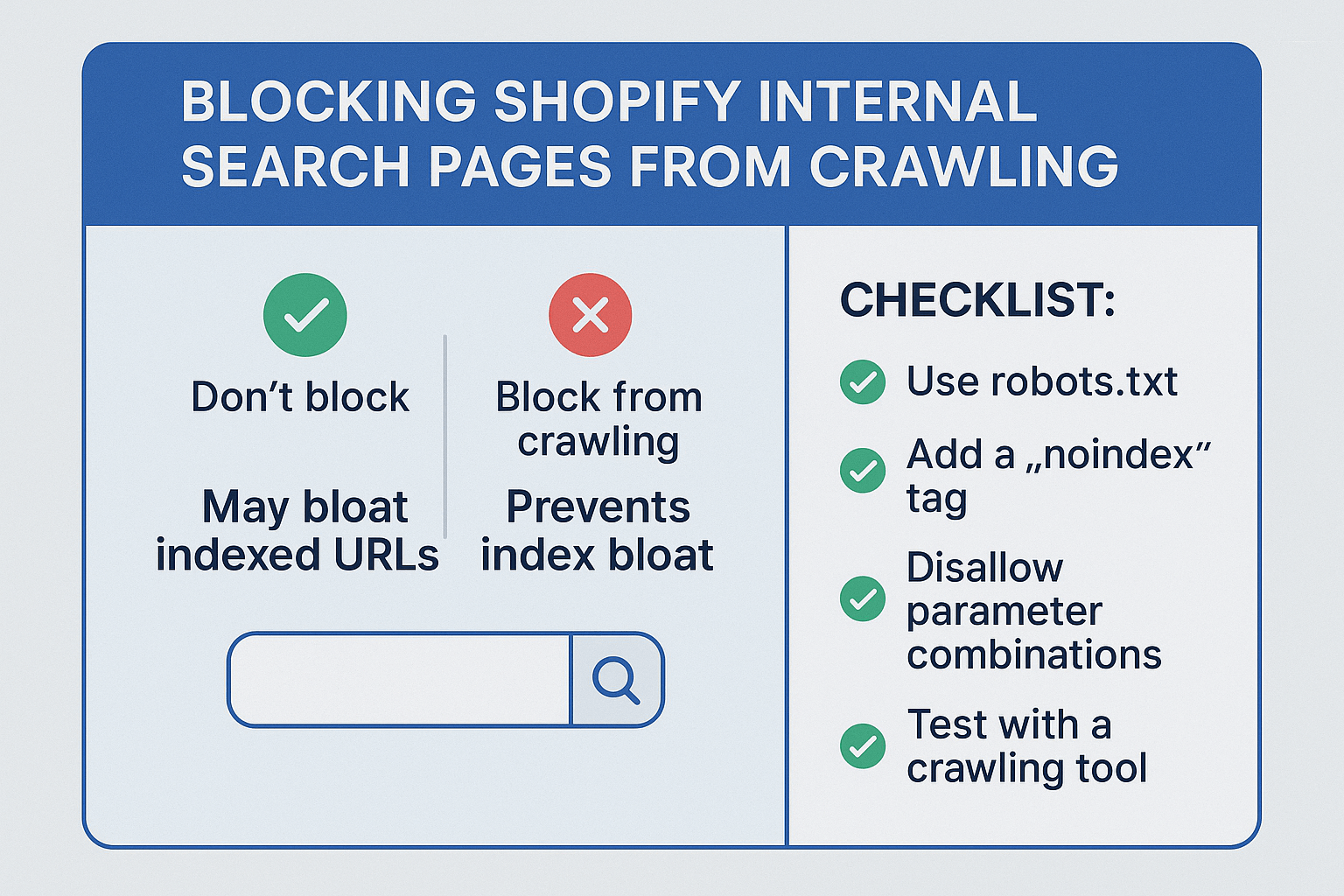
Step-by-Step Guide: How to Block Internal Search Pages Using Robots.txt
Method 1: Basic Robots.txt Implementation
The most straightforward approach involves adding specific directives to your robots.txt file. Here’s how to implement this effectively:
Access your Shopify admin panel and navigate to Online Store > Themes > Actions > Edit Code. Look for the robots.txt.liquid file and add these lines:
Disallow: /search?
Disallow: /search/*
Disallow: */search?*
Disallow: /collections/*?*
This approach blocks most search and filter pages while preserving your important category pages for On Page SEO optimization.
Method 2: Advanced Parameter Blocking
For stores with complex filtering systems, you’ll need more specific blocking rules. Add these additional lines to target specific parameters:
Disallow: /*?sort_by=
Disallow: /*?filter.
Disallow: /*?constraint=
Disallow: /*?q=
Pro Tip: Always test your robots.txt changes using Google Search Console’s robots.txt tester before implementing them live.
Using Meta Noindex Tags for Precise Control
When Robots.txt Isn’t Enough
Sometimes you need more granular control than robots.txt provides. Meta noindex tags offer a surgical approach to preventing specific pages from being indexed while still allowing them to be crawled for link equity purposes.
For Shopify stores, you can implement conditional noindex tags in your theme’s template files. This approach is particularly useful when you want search engines to crawl the pages for internal linking purposes but not index them.
Implementation Through Theme Customization
Add this code to your theme’s <head> section with conditional logic:
{% if template contains ‘search’ or request.path contains ‘/search’ %}
<meta name=”robots” content=”noindex, follow”>
{% endif %}
This Semantic SEO approach ensures that search engines understand your content hierarchy while avoiding indexation of duplicate or low-value pages.
How to Monitor Your Success with SEO Audit Tools
Tracking Deindexation Progress
After implementing blocking measures, you need to monitor their effectiveness. Use Google Search Console to track how many search pages get deindexed over time. The process typically takes 4-8 weeks for complete deindexation.
Create a custom search in Google using the query site:yourstore.com/search to see how many internal search pages are currently indexed. Document this number and check it monthly to track improvement.
Key Performance Indicators to Watch
Monitor these metrics to measure the success of your internal search page blocking:
- Overall indexed page count reduction
- Improvement in crawl efficiency (from Search Console)
- Increase in organic traffic to main category pages
- Better ranking positions for target keywords
Success Story: A home decor store implemented these techniques and saw their main category pages climb an average of 12 positions in search results within 6 weeks.
What Happens After You Block These Pages?
Immediate SEO Benefits You’ll Experience
Once search engines stop crawling your internal search pages, you’ll likely notice several positive changes. Your crawl budget gets redirected to more valuable pages, leading to better indexation of new products and content updates.
The elimination of duplicate content issues often results in clearer keyword targeting and improved rankings for your main category and product pages. Many store owners report seeing ranking improvements within 2-4 weeks of implementation.
Long-Term Impact on Your Ecommerce Performance
Over time, blocking internal search pages contributes to a cleaner site architecture that search engines can understand and rank more effectively. This improved clarity often leads to better performance in Local SEO for businesses targeting geographic markets.
Your SEO Audit reports will show significant improvements in technical SEO scores, and you’ll have more control over which pages represent your brand in search results.
Advanced Strategies for Enterprise Shopify Stores
Handling Complex Filter Combinations
Larger stores with extensive product catalogs need more sophisticated approaches. Consider implementing dynamic robots.txt generation based on your product taxonomy and user behavior patterns.
Use analytics data to identify which search terms and filter combinations actually drive conversions, then create exceptions for these high-value pages while blocking the rest.
International Store Considerations
Multi-currency and multi-language Shopify stores face additional complexity with search page management. Each market may generate different internal search patterns that require customized blocking strategies.
Implement market-specific robots.txt rules and coordinate with your international SEO Services strategy to ensure consistent implementation across all store versions.
Common Mistakes to Avoid When Blocking Search Pages
Over-Blocking Important Category Pages
The biggest mistake store owners make is accidentally blocking legitimate category or collection pages. Always double-check your robots.txt syntax and test thoroughly before implementing changes.
Use specific parameter targeting rather than broad wildcards that might catch important pages in their nets. Remember, you want to block /search?q=shoes but preserve /collections/shoes.
Ignoring User Experience Impact
While blocking these pages from search engines, ensure that your internal search functionality remains intact for actual customers. The goal is to prevent search engine indexation without breaking the user experience.
Action Point: After implementing changes, test your store’s search functionality from a customer perspective to ensure everything works correctly.
Measuring ROI: How Much Can This Improve Your Rankings?
Based on my experience with hundreds of Shopify stores, proper internal search page blocking typically delivers measurable results within 30-60 days. Stores usually see 15-25% improvements in organic traffic to their main category pages and 10-20 position improvements for target keywords.
The time investment is minimal – usually 2-3 hours for implementation and setup – but the long-term benefits compound over months and years. This makes blocking internal search pages one of the highest ROI SEO Services optimizations you can implement.
For stores with significant internal search activity, the impact can be even more dramatic. I’ve seen cases where proper blocking led to 50%+ increases in organic visibility within three months.
Your Next Steps: Implementing This Strategy Today
Start by auditing your current situation using the site:yourstore.com/search Google query to understand the scope of your internal search page indexation. Document your baseline metrics from Google Search Console and Analytics.
Then implement the basic robots.txt blocking rules outlined above, starting with the most common patterns. Monitor your progress weekly and adjust your approach based on the results you observe.
Remember, this is just one piece of a comprehensive Shopify SEO strategy. Combine internal search page blocking with other technical optimizations, content improvements, and user experience enhancements for maximum impact.
The investment in properly managing your internal search pages will pay dividends in improved search engine visibility and organic traffic growth for years to come.