


You’ve just launched your dream Shopify store, loaded it with the coolest apps for reviews, pop-ups, and social media feeds, only to watch your customers bounce faster than a rubber ball. Sound familiar? You’re not alone in this digital dilemma.
As someone who’s spent 8 years diving deep into Shopify SEO and helping hundreds of e-commerce businesses optimize their online presence, I’ve seen this scenario play out countless times. The harsh reality? That awesome app collection you’ve curated might be secretly sabotaging your store’s performance and search rankings.
Here’s the kicker: Google’s Core Web Vitals update made page speed a direct ranking factor, meaning slow-loading stores don’t just lose customers—they lose visibility in search results too. When you’re investing in SEO Services and Ecommerce SEO strategies, ignoring app-related speed issues is like trying to fill a bucket with holes in the bottom.
Let me walk you through exactly how apps impact your Shopify store’s speed and, more importantly, what you can do about it without gutting your functionality.
Why Every Shopify App Adds Weight to Your Store’s Loading Time
Think of your Shopify store like a backpack on a hiking trip. Each app you install is essentially adding another item to that pack. Sure, that portable coffee maker (fancy review app) and camping chair (popup tool) seem essential, but eventually, you’re moving slower than a snail uphill.
Every Shopify app introduces additional code, stylesheets, JavaScript files, and often external API calls to your store. According to recent studies, the average Shopify store runs 15-20 apps simultaneously, with each app potentially adding 0.5 to 2 seconds to your page load time. Do the math, and you’re looking at potential delays of 7.5 to 40 seconds—that’s enough time for your customers to order pizza and start eating it.
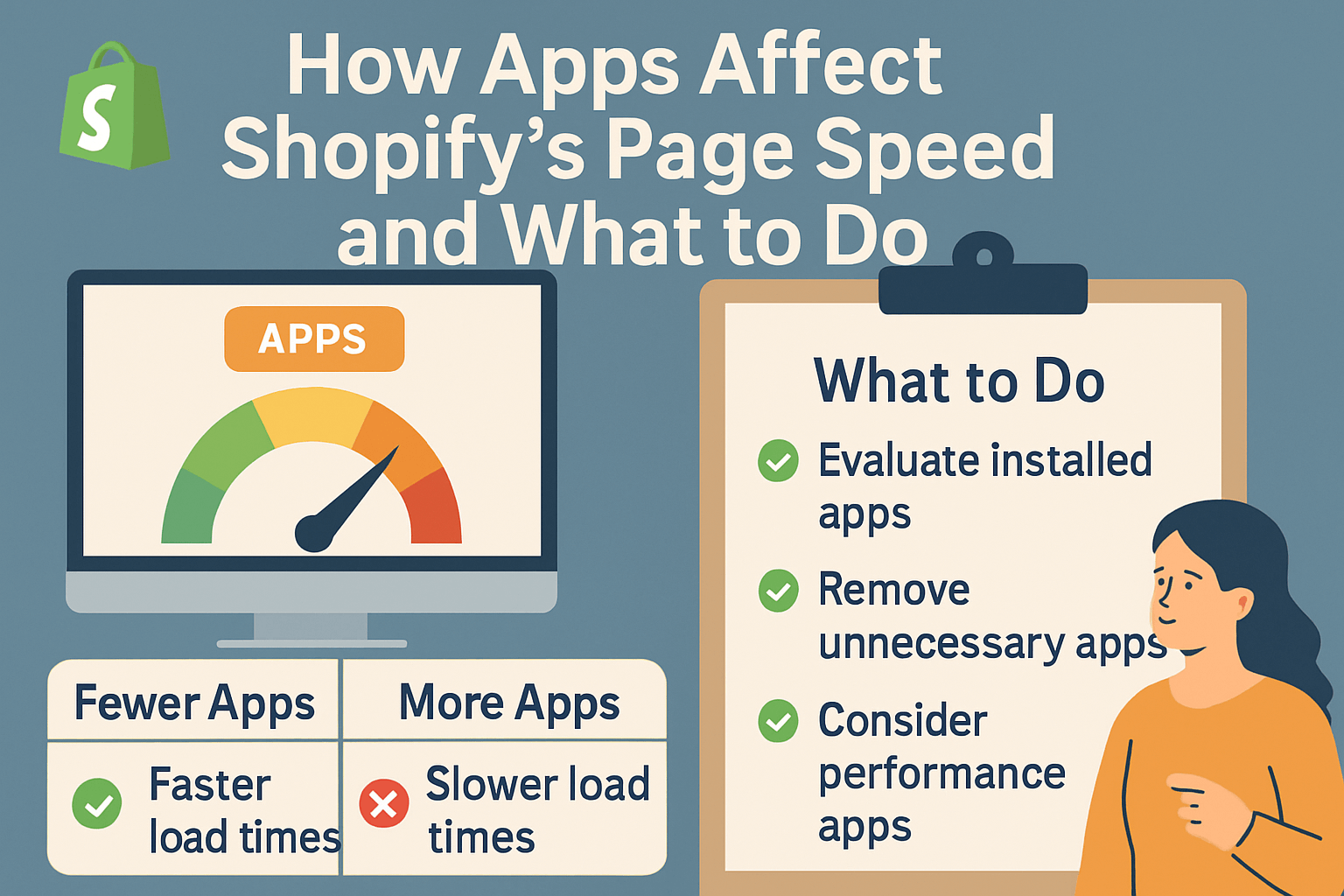
The technical breakdown works like this: when someone visits your store, their browser has to download and process every piece of code from every active app. Some apps load their resources on every page (whether needed or not), while others make external server requests that can timeout or slow down the entire loading process. This creates a cascading effect where one slow app can bottleneck your entire site performance.
What Happens When Your Shopify Store Loads Too Slowly
Let’s talk numbers that’ll make your accountant weep. Amazon’s internal data shows that every 100-millisecond delay in page load time costs them 1% in sales. For a store making $100,000 annually, even a 2-second delay could cost you $20,000 in lost revenue. That’s not theoretical—it’s mathematical reality.
Beyond the immediate sales impact, slow loading speeds trigger a domino effect across your entire business ecosystem. Your SEO Audit results will show declining search rankings because Google’s algorithm heavily weighs Core Web Vitals scores. When your Largest Contentful Paint (LCP) exceeds 2.5 seconds or your Cumulative Layout Shift (CLS) scores poorly, you’re essentially telling Google your site provides a subpar user experience.
Customer behavior data reveals even more concerning trends. Research by Google indicates that 53% of mobile users abandon sites that take longer than 3 seconds to load. For e-commerce specifically, a 1-second delay reduces customer satisfaction by 16% and conversions by 7%. When you’re competing against Amazon’s lightning-fast loading times, every millisecond matters in retaining potential customers.
How to Identify Which Apps Are Slowing Down Your Store
Before you start randomly uninstalling apps like you’re decluttering your phone storage, you need to identify the actual culprits. Not all apps impact speed equally—some are speed demons while others are resource hogs disguised as helpful tools.
Start by running a comprehensive speed test using Google PageSpeed Insights, GTmetrix, or Shopify’s own speed analysis tool. These platforms provide detailed breakdowns of what’s consuming your loading time. Look specifically for render-blocking JavaScript and CSS files, oversized images, and third-party script delays. Most speed testing tools will flag specific apps or code snippets that are causing bottlenecks.
Your On Page SEO analysis should include a thorough app audit where you document each installed app, its loading impact, and its business necessity. Create a spreadsheet listing every app with columns for: loading time impact, revenue contribution, customer experience value, and potential alternatives. This data-driven approach prevents you from accidentally removing apps that significantly boost conversions while keeping resource-heavy apps that provide minimal value.
Chrome’s Developer Tools offers another goldmine of information. Navigate to the Network tab while loading your store and sort by file size or loading time. You’ll quickly spot which apps are downloading massive JavaScript files or making excessive server requests. Apps that load 500KB+ of resources or make more than 10 external calls are prime candidates for optimization or replacement.
Which Types of Apps Impact Speed Most Significantly
Not all Shopify apps are created equal when it comes to performance impact. After analyzing hundreds of stores through SEO Services engagements, certain app categories consistently emerge as the biggest speed killers.
Pop-up and email capture apps top the list of performance destroyers. These apps typically load heavy JavaScript libraries, track user behavior extensively, and often conflict with other apps’ code. Popular apps like Privy, OptinMonster, or Klaviyo’s pop-up features can add 2-4 seconds to your initial page load time. The irony? Many store owners install these to boost conversions, but the speed penalty often costs more sales than the pop-ups generate.
Social media integration apps follow closely behind. Instagram feeds, Facebook pixels, TikTok tracking codes, and social sharing buttons each require external API calls and additional JavaScript libraries. A store running Instagram feeds, Facebook chat widgets, and multiple social tracking pixels can easily accumulate 6-8 seconds of additional loading time. The visual appeal rarely justifies this massive performance hit.
Review and rating apps present another significant challenge. While social proof absolutely improves conversions, many review apps load entire databases of customer feedback, star rating graphics, and complex filtering systems on every page load. Apps like Judge.me or Loox, while feature-rich, can consume substantial resources even on product pages where reviews aren’t immediately visible.
Smart Strategies to Optimize App Performance Without Losing Functionality
The goal isn’t to strip your store down to bare bones—it’s to maintain functionality while optimizing performance. Think of it as tuning a race car: you want maximum speed without removing essential components.
Lazy loading represents your first line of defense against speed-killing apps. Configure apps to load only when needed rather than on every page. For instance, review apps should only load on product pages, chat widgets should appear after initial page load, and social media feeds should load when users scroll to that section. Many modern apps offer lazy loading settings in their configuration panels, but older apps might require custom code implementation.
App consolidation offers another powerful optimization strategy. Instead of running separate apps for email capture, reviews, and social proof, consider comprehensive platforms that handle multiple functions. Shopify Plus stores often benefit from apps like Yotpo, which combines reviews, referrals, and email capture in a single, optimized package. This approach reduces the total number of external scripts and API calls your store makes.
Critical resource prioritization ensures your most important elements load first. Configure your apps so that above-the-fold content (product images, prices, buy buttons) loads before secondary features like Instagram feeds or related product recommendations. This creates the perception of faster loading even when total page load time remains consistent.
When to Remove Apps vs. When to Optimize Them
Making app removal decisions requires balancing performance impact against business value. This isn’t about following generic advice—it’s about making data-driven decisions specific to your store’s performance and revenue patterns.
Remove apps immediately if they contribute less than 2% to your monthly revenue while adding more than 1 second to your page load time. This includes abandoned A/B testing tools, unused analytics trackers, and “nice-to-have” features that seemed important six months ago but now collect digital dust. During SEO Audit processes, I typically find 3-5 completely unused apps on every store, each adding unnecessary code bloat.
Optimize rather than remove apps that significantly impact revenue but also affect speed. High-performing email capture apps, essential review systems, and conversion-boosting recommendation engines deserve optimization efforts rather than elimination. This might involve upgrading to premium versions with better performance, implementing custom lazy loading, or working with app developers to optimize loading sequences.
Consider app alternatives when current tools provide necessary functionality but terrible performance. Many established apps became resource-heavy as they added features over time. Newer alternatives often offer similar functionality with modern, lightweight codebases. Research shows that switching from legacy apps to optimized alternatives can improve loading times by 30-50% while maintaining the same conversion rates.
Advanced Techniques for Speed-Conscious Store Owners
Beyond basic app management, sophisticated optimization techniques can dramatically improve your store’s performance without sacrificing functionality. These strategies require more technical knowledge but deliver substantial results for serious e-commerce entrepreneurs.
Implement critical CSS inlining for app-related styles. Many apps load entire CSS stylesheets even when only using 10% of the included styles. By extracting and inlining only the critical CSS needed for above-the-fold content, you can reduce render-blocking resources significantly. This technique, often used in comprehensive Ecommerce SEO implementations, can shave 1-2 seconds off initial page rendering.
Utilize service workers for aggressive app resource caching. Service workers can cache app JavaScript files, API responses, and even dynamic content locally in users’ browsers. Return visitors experience dramatically faster loading times when app resources load from local cache rather than external servers. Progressive Web App (PWA) implementations often incorporate these techniques for enterprise-level performance optimization.
Consider app resource bundling and minification. Instead of loading separate JavaScript and CSS files for each app, bundle related resources into single, compressed files. This reduces the total number of server requests and improves loading efficiency. Advanced users can implement webpack or similar build tools to automate this optimization process across all installed apps.
Monitoring Your Store’s Speed Performance Over Time
Speed optimization isn’t a set-it-and-forget-it process—it requires ongoing monitoring and adjustment as you add new apps or update existing ones. Establishing systematic performance monitoring ensures you catch speed regressions before they impact sales or search rankings.
Set up automated speed monitoring using tools like Google Search Console, Shopify Analytics, or third-party services like Pingdom. Configure alerts for when your Core Web Vitals scores decline or page load times exceed acceptable thresholds. Many Local SEO and Semantic SEO strategies depend on consistent technical performance, making regular monitoring essential for maintaining search visibility.
Conduct monthly app performance audits where you review each installed app’s impact on loading speed and business metrics. Document changes in loading times, conversion rates, and user engagement metrics. This historical data helps you identify patterns and make informed decisions about app additions or removals.
Create performance benchmarks based on your specific industry and target audience. E-commerce stores selling to mobile users in developing markets might need different optimization strategies than desktop-focused B2B stores. Establish realistic speed targets that balance performance with functionality requirements specific to your business model.
Action Steps You Can Implement Today
Ready to tackle your store’s speed challenges? Here’s your immediate action plan for optimizing app performance without losing essential functionality.
First, conduct a comprehensive app inventory audit. Log into your Shopify admin panel and document every installed app, its last usage date, and its primary function. Remove any apps you haven’t used in the past 90 days—these digital zombies are consuming resources while providing zero value. Most stores can eliminate 20-30% of installed apps through this basic housekeeping.
Second, run speed tests before and after making changes. Use Google PageSpeed Insights to establish baseline metrics for both mobile and desktop performance. Focus specifically on Core Web Vitals scores (LCP, FID, CLS) since these directly impact search rankings. Document your starting scores so you can measure improvement after optimization efforts.
Third, implement lazy loading for non-critical app functions. Start with apps that load below-the-fold content like Instagram feeds, customer reviews, or related product recommendations. Most modern apps include lazy loading options in their settings, but older apps might require theme code modifications or developer assistance.
Your Shopify store’s speed directly impacts both user experience and search engine rankings. By understanding how apps affect performance and implementing strategic optimization techniques, you can maintain functionality while delivering the fast-loading experience your customers expect. Remember, every second you shave off loading time is money in your pocket and improved visibility in search results.
The key is finding the sweet spot between functionality and performance—because a lightning-fast store that doesn’t convert is just as problematic as a feature-rich store that loads too slowly to keep visitors engaged.