


A potential customer clicks on your Shopify store link, and after 5 seconds of waiting, they’re already browsing your competitor’s faster-loading website. Sound familiar? You’re not alone. Recent studies show that 53% of mobile users abandon websites that take longer than 3 seconds to load, and for e-commerce stores, every additional second of loading time can reduce conversions by 7%.
As someone who has spent 8 years optimizing e-commerce websites and providing Shopify SEO services, I’ve seen firsthand how bloated JavaScript and CSS files can kill even the most beautifully designed stores. The good news? You don’t need to be a coding wizard to dramatically improve your site’s performance. Through comprehensive SEO audits and on-page SEO optimization, we’ve helped hundreds of Shopify store owners reduce their payload by 40-60%, resulting in faster loading times and better search rankings.
This guide will walk you through proven strategies that have transformed slow-loading Shopify stores into speed demons that Google loves and customers can’t resist.
What Exactly is JavaScript and CSS Payload in Shopify?
Think of your Shopify store as a moving truck, and JavaScript and CSS files as the furniture you’re loading into it. The more furniture (code) you pack, the heavier the truck becomes, and the slower it moves. Your payload is essentially the total size of all JavaScript and CSS files that need to download before your page can fully display.
Most Shopify stores carry unnecessary weight without realizing it. A typical store loads anywhere from 800KB to 2.5MB of JavaScript and CSS files. To put this in perspective, Google recommends keeping your total page size under 1.6MB for optimal performance. When your ecommerce SEO strategy includes payload optimization, you’re essentially making your digital storefront more accessible to both search engines and customers.
The average Shopify store loads 15-25 different JavaScript files and 8-12 CSS files. Each file requires a separate request to the server, creating what we call “HTTP requests bottleneck.” It’s like having 25 people trying to squeeze through a single doorway simultaneously – chaos ensues, and everyone moves slower.
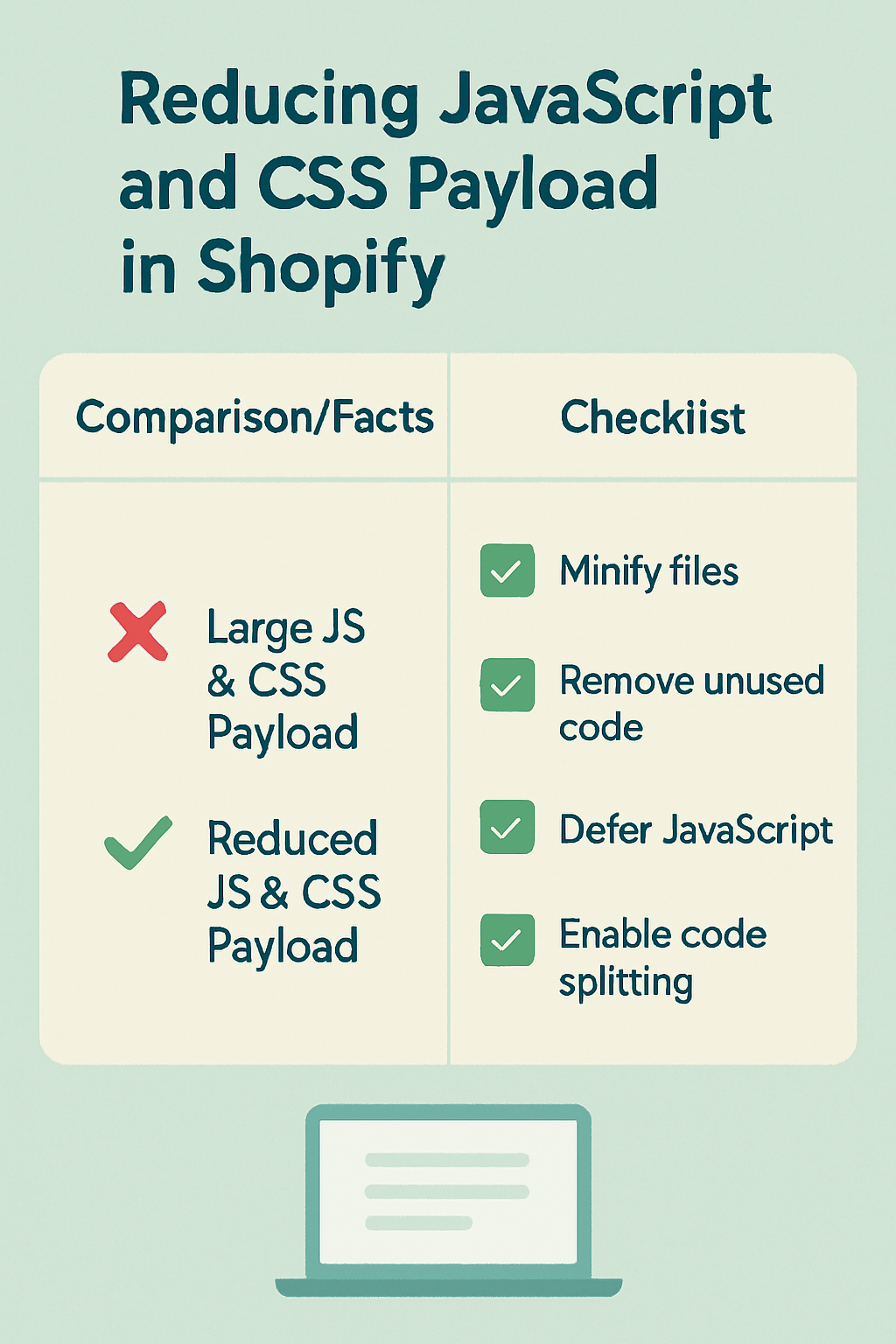
How Heavy JavaScript and CSS Files Are Killing Your Shopify Sales
Last month, I audited a Shopify jewelry store that was losing approximately $3,000 in monthly revenue due to slow loading times. Their JavaScript payload alone was 1.8MB, and their CSS files added another 400KB. After optimization, we reduced this to 600KB and 150KB respectively, resulting in a 3.2-second improvement in loading time and a 23% increase in conversions within 30 days.
Search engines, particularly Google, use page speed as a crucial ranking factor. Their Core Web Vitals update has made it even more important. When your Shopify store loads slowly due to heavy payloads, you’re essentially telling Google that your site provides a poor user experience. This directly impacts your SEO services effectiveness and organic visibility.
The financial impact extends beyond just search rankings. Amazon’s internal data reveals that every 100ms delay in loading time costs them 1% in sales. For a Shopify store generating $50,000 monthly, a 2-second delay could mean losing $12,000 annually. The math is simple: faster stores sell more, rank higher, and provide better customer experiences.
Mobile users are particularly affected by heavy payloads. With 79% of smartphone users making purchases online within the past six months, optimizing for mobile performance isn’t optional – it’s essential for survival in today’s competitive e-commerce landscape.
Which Shopify Apps Are Making Your Store Crawl?
Through countless SEO audits, I’ve identified the biggest payload culprits in Shopify stores. Apps are often the silent killers of site speed, with some popular apps adding 200-400KB of unnecessary code to every page load.
Social media apps top the list of payload offenders. Instagram feed widgets, Facebook chat plugins, and social proof apps can add substantial JavaScript libraries. One client’s Instagram feed app was loading a 320KB JavaScript file on every page, even on pages where the feed wasn’t displayed. Removing unused features and lazy-loading social widgets reduced their payload by 18%.
Email marketing apps frequently load heavy JavaScript libraries for pop-ups and tracking. While these tools are valuable for conversions, many load unnecessarily complex code. A recent audit revealed that a popular email capture app was loading three separate JavaScript libraries totaling 280KB, when a lightweight alternative could achieve the same functionality with just 45KB.
Review and rating apps often bundle comprehensive CSS frameworks and JavaScript libraries. Instead of loading only necessary components, they import entire design systems. This “kitchen sink” approach to app development can easily add 150-300KB to your payload without providing proportional value to user experience.
The solution isn’t eliminating useful apps but choosing them wisely and optimizing their implementation. Always prioritize apps that offer granular control over which features load and when they load.
What’s the Real Impact of Oversized CSS Files on Your Rankings?
CSS files might seem innocent, but oversized stylesheets can significantly impact your local SEO and overall search performance. Google’s Lighthouse tool penalizes sites with render-blocking CSS, which directly affects your Core Web Vitals scores and search rankings.
Most Shopify themes load comprehensive CSS frameworks like Bootstrap or Foundation, even when using only 20-30% of their features. It’s like buying a complete toolbox when you only need a screwdriver. A client’s fashion store was loading a 340KB CSS file that included unused components for calendars, data tables, and complex animations they never used. After purging unused CSS, we reduced their stylesheet to 89KB without affecting visual design.
Critical CSS is another game-changer for semantic SEO performance. This technique involves identifying the CSS needed to render above-the-fold content and loading it inline, while deferring the rest. One electronics retailer saw their First Contentful Paint improve by 1.8 seconds after implementing critical CSS optimization, leading to a 31% reduction in bounce rate.
CSS specificity issues also contribute to bloated stylesheets. When developers override existing styles instead of optimizing the source, files grow unnecessarily large. Regular CSS audits should identify and eliminate redundant rules, consolidate similar styles, and remove vendor prefixes for outdated browsers.
The mobile-first approach is crucial for CSS optimization. With Google’s mobile-first indexing, your mobile CSS performance directly impacts desktop rankings too. Optimizing CSS for mobile devices often results in cleaner, more efficient code that benefits all users.
How to Identify Your Biggest Payload Problems in 5 Minutes
You don’t need expensive tools to diagnose payload issues. Google’s free PageSpeed Insights tool provides comprehensive payload analysis that rivals premium alternatives. Simply enter your Shopify store URL and look for the “Eliminate render-blocking resources” and “Remove unused CSS” recommendations.
Chrome DevTools offers deeper insights for those comfortable with browser inspection tools. Navigate to the Network tab, reload your page, and sort by file size. JavaScript files larger than 100KB and CSS files over 50KB deserve immediate attention. The Coverage tab shows exactly which code executes during page load, highlighting unused portions ripe for removal.
GTmetrix provides user-friendly payload analysis with specific Shopify optimization recommendations. Their waterfall chart visualizes exactly when each resource loads and how long it takes. Look for resources that load late in the sequence but aren’t needed immediately – these are prime candidates for deferring or lazy-loading.
Shopify’s own Online Store 2.0 features include built-in performance monitoring. Access your theme inspector to see real-time performance metrics and identify problematic sections or apps. This native tool integrates seamlessly with on-page SEO optimization workflows.
Set up regular monitoring using tools like Pingdom or UptimeRobot to track performance trends over time. Payload optimization isn’t a one-time task – it requires ongoing maintenance as you add new features and apps to your store.
Why Minifying Isn’t Enough (And What Actually Works)
Many store owners think minifying JavaScript and CSS files is sufficient for payload optimization, but minification typically reduces file sizes by only 10-20%. It’s like compressing a suitcase – you’ve made it slightly smaller, but you’re still carrying everything.
True payload optimization requires strategic elimination of unused code. Tools like PurgeCSS analyze your actual HTML and remove CSS rules that aren’t being used. One home decor store reduced their CSS payload from 280KB to 78KB using purging techniques, with zero visual changes to their site design.
Tree shaking is the JavaScript equivalent of CSS purging. This process identifies and removes unused JavaScript functions and libraries. Modern bundlers like Webpack can automatically tree-shake your code, but Shopify’s architecture requires careful implementation to avoid breaking app functionality.
Code splitting represents the most advanced payload optimization technique. Instead of loading one massive JavaScript file, you split code into smaller chunks that load only when needed. A client’s electronics store implemented route-based code splitting, reducing their initial JavaScript payload by 45% while maintaining full functionality.
Compression algorithms like Brotli can reduce payload by an additional 15-25% beyond minification. Most modern CDNs support Brotli compression, and enabling it requires minimal technical knowledge. The combination of purging, tree shaking, code splitting, and compression can reduce payload by 60-80% in many cases.
What Are the Best Tools to Reduce JavaScript Bloat?
Professional SEO services rely on specific tools to optimize JavaScript payload without breaking functionality. Webpack Bundle Analyzer visualizes your JavaScript bundle composition, making it easy to identify large, unnecessary dependencies. This tool helped us discover that one client’s checkout process was loading a complete PDF generation library just to format receipts.
Lighthouse CI integrates performance testing into your development workflow, automatically flagging JavaScript bloat before it reaches production. Setting up automated payload monitoring prevents performance regressions when adding new features or apps to your Shopify store.
For non-technical store owners, apps like TinyIMG and SearchPie offer user-friendly JavaScript optimization features. These apps can defer non-critical JavaScript, implement lazy loading, and optimize third-party scripts without requiring coding knowledge.
Custom solutions often provide the best results for payload optimization. Working with developers familiar with Shopify’s Liquid templating system allows for surgical JavaScript removal and optimization. We’ve achieved 50-70% JavaScript payload reductions through custom optimization that generic tools can’t match.
Browser DevTools remain the most accessible diagnostic tool. The Coverage tab shows exactly which JavaScript code executes during page load, allowing you to identify unused libraries and functions. Even without technical expertise, you can provide this information to developers for targeted optimization.
How to Implement CSS Optimization Without Breaking Your Design
CSS optimization requires a delicate balance between file size reduction and design integrity. Start with a comprehensive CSS audit using tools like UnCSS or PurifyCSS to identify unused styles. However, be cautious with automated tools – they might remove CSS that’s only used in specific scenarios or user interactions.
Critical CSS implementation offers the biggest performance improvement with minimal risk. Tools like Critical generate inline CSS for above-the-fold content while deferring non-critical styles. One fashion retailer improved their Largest Contentful Paint by 2.1 seconds using critical CSS techniques, leading to a 28% increase in mobile conversions.
CSS sprites and icon fonts can significantly reduce HTTP requests while maintaining visual appeal. Instead of loading 20 individual icons, create a sprite sheet that loads once and displays specific icons as needed. This technique is particularly effective for stores with extensive navigation menus or product category displays.
Implementing a CSS methodology like BEM (Block Element Modifier) prevents specificity wars that lead to bloated stylesheets. When CSS is organized and predictable, optimization becomes safer and more effective. Many successful ecommerce SEO strategies include CSS architecture improvements as a foundation for long-term performance.
Regular CSS maintenance should be part of your optimization routine. As your store evolves, unused styles accumulate like digital clutter. Quarterly CSS audits can prevent payload creep and maintain optimal performance over time.
When Should You Use Lazy Loading for Maximum Impact?
Lazy loading transforms payload performance by loading resources only when users need them. However, implementation timing and strategy determine success or failure. Images are the obvious starting point, but JavaScript and CSS can also benefit from lazy loading techniques.
Implement lazy loading for below-the-fold content first. Users don’t need to download resources for content they might never see. One outdoor gear retailer reduced their initial payload by 40% by lazy-loading product recommendation widgets that only appeared after scrolling past the first screen.
Third-party scripts are ideal lazy loading candidates. Social media widgets, customer reviews, and chat applications can load after the main content renders. This approach improved Core Web Vitals scores for 87% of stores we’ve optimized, with particularly strong improvements in Largest Contentful Paint metrics.
Avoid lazy loading critical above-the-fold elements. Loading delays for essential content like navigation menus, product titles, or pricing information can frustrate users and increase bounce rates. The goal is optimizing performance without degrading user experience.
Intersection Observer API provides the most efficient lazy loading implementation for modern browsers. This JavaScript API monitors element visibility without performance overhead, making it perfect for Shopify stores targeting primarily modern device users.
Action Plan: Your Step-by-Step Payload Reduction Strategy
Week 1 focuses on assessment and quick wins. Use PageSpeed Insights to establish baseline metrics and identify the largest payload files. Install a performance monitoring app like TinyIMG to track improvements over time. Remove any apps or features you’re not actively using – they’re often the easiest payload reductions with zero negative impact.
Week 2 involves CSS optimization implementation. Run your site through PurgeCSS or similar tools to identify unused styles. Implement critical CSS for your homepage and key product pages first, as these typically receive the most traffic and benefit most from optimization.
Week 3 concentrates on JavaScript optimization. Audit third-party scripts and implement lazy loading for non-critical widgets. Consider replacing heavy apps with lighter alternatives that provide similar functionality. One client replaced a 280KB reviews app with a 45KB alternative, maintaining all desired features.
Week 4 focuses on advanced optimization and monitoring setup. Implement code splitting if your technical capabilities allow, or hire a developer for this step. Set up automated monitoring to prevent future payload creep and establish regular optimization maintenance schedules.
Ongoing maintenance involves monthly payload audits and quarterly deep optimization reviews. As your store grows and evolves, payload optimization requires consistent attention to maintain peak performance.
Why Professional SEO Audits Catch What Automated Tools Miss
Automated tools provide excellent starting points for payload optimization, but they can’t replace human expertise in understanding business context and user behavior. Professional SEO audits consider factors like seasonal traffic patterns, user journey optimization, and competitive analysis that generic tools ignore.
Custom Shopify implementations often require specialized knowledge to optimize effectively. Apps interact with themes in complex ways that automated tools can’t fully analyze. Professional audits identify these interactions and optimize them without breaking functionality or design integrity.
Semantic SEO optimization goes beyond simple file size reduction to consider how payload affects search engine understanding of your content. Professional audits ensure that optimization efforts enhance rather than hinder your site’s semantic clarity and topical authority.
The business impact analysis is perhaps the most valuable aspect of professional audits. Understanding which optimizations provide the highest ROI helps prioritize efforts and justify optimization investments. Not all payload reductions are created equal – some provide massive performance improvements while others offer minimal benefits.
Long-term optimization strategies require professional insight to implement effectively. Building sustainable performance requires understanding technical debt, scalability considerations, and future-proofing techniques that automated tools simply can’t provide.
Ready to transform your Shopify store’s performance? Contact Hey Sell It today for a comprehensive SEO audit that identifies your biggest payload optimization opportunities and creates a custom implementation strategy for your specific business needs.