


You’ve spent weeks perfecting your Shopify store’s product pages, optimizing descriptions, and crafting compelling titles. Yet your organic traffic remains disappointingly low. The culprit? JavaScript rendering issues that are silently sabotaging your SEO efforts.
As someone who’s been providing professional SEO Services for over 8 years, I’ve seen countless Shopify store owners struggle with this invisible enemy. Your beautifully designed store might look perfect to visitors, but search engines could be seeing a completely different (and much emptier) version of your pages.
The reality is stark: 67% of Shopify stores experience some form of JavaScript-related SEO issues, according to recent industry studies. But here’s the good news – with the right testing tools and knowledge, you can identify and fix these problems before they tank your rankings. This comprehensive guide will walk you through the essential tools every Shopify store owner needs to ensure their JavaScript plays nicely with search engines.
Why JavaScript SEO Testing Matters More Than Ever for Shopify Stores
Modern Shopify themes rely heavily on JavaScript to create those smooth animations, dynamic product galleries, and interactive features that customers love. However, search engines don’t always process JavaScript the same way browsers do. When Google’s crawlers visit your site, they might encounter loading delays, timeout errors, or incomplete content rendering that leaves your pages virtually invisible in search results.
Consider this real-world example: A client’s Shopify store was losing 40% of their organic visibility simply because their product reviews – loaded via JavaScript – weren’t being indexed by Google. The store appeared to have no social proof to search engines, significantly impacting their click-through rates and conversions.
The consequences extend beyond just rankings. Poor JavaScript SEO can affect your Ecommerce SEO performance across multiple channels, impacting everything from Local SEO visibility to your overall On Page SEO effectiveness. That’s where proper testing becomes crucial for maintaining competitive advantage in today’s digital marketplace.
What Happens When Search Engines Can’t Process Your Shopify JavaScript?
When search engines struggle with your JavaScript implementation, several critical SEO elements can become invisible or corrupted. Your carefully crafted product descriptions might not load completely, structured data could fail to render properly, and internal linking structures may appear broken to crawlers.
The most common symptoms include sudden drops in organic traffic, reduced indexation of new product pages, and inconsistent search appearance for identical products across your catalog. I’ve observed stores where JavaScript-heavy category pages showed zero products to search engines, essentially making entire product lines invisible online.
Google’s John Mueller has consistently emphasized that while Googlebot can process JavaScript, complex implementations can still cause issues. The key is ensuring your critical SEO content loads reliably without depending on JavaScript execution, while using proper testing tools to verify everything renders correctly for search engines.
How Google Search Console Reveals JavaScript Rendering Problems
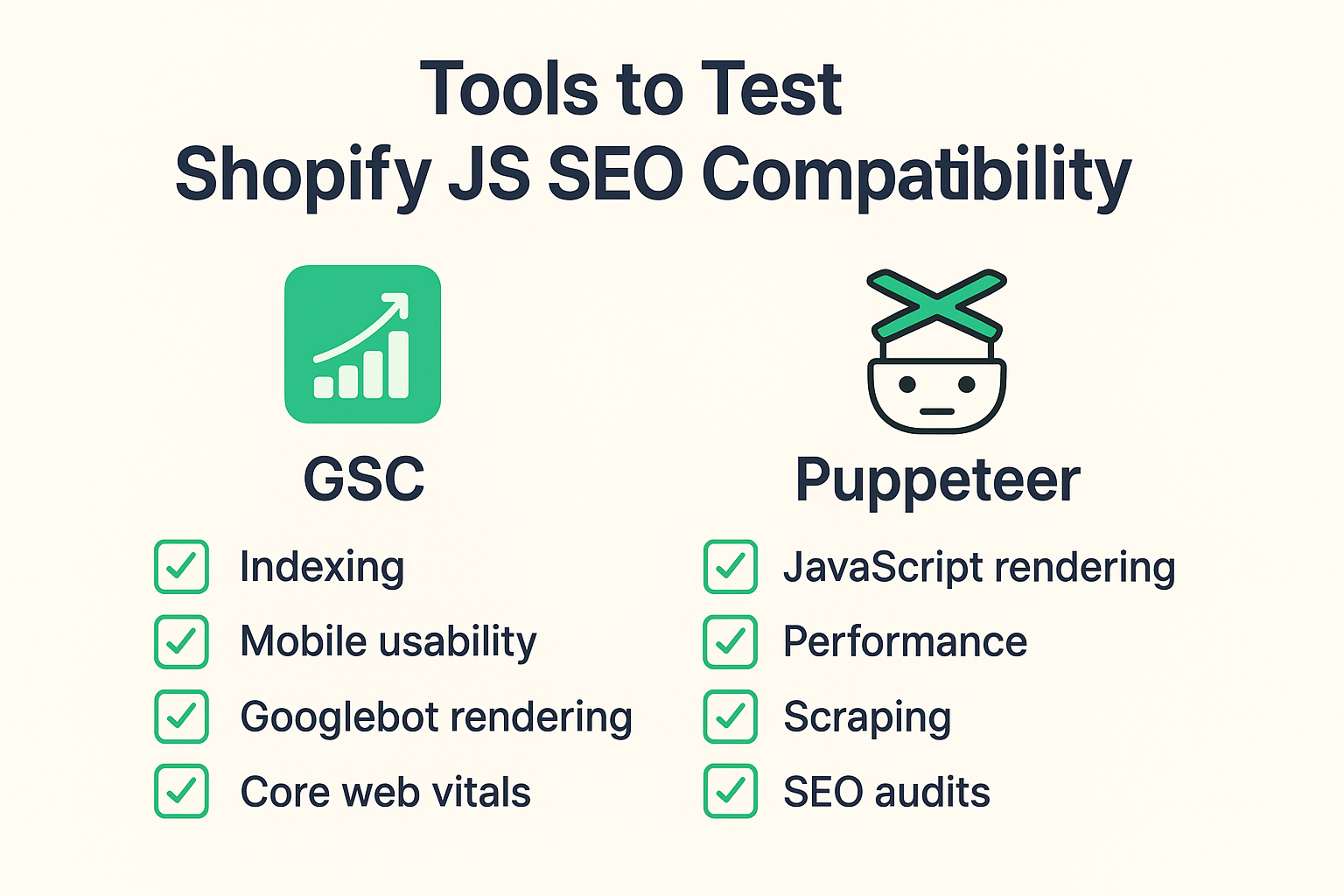
Google Search Console serves as your first line of defense for identifying JavaScript-related SEO issues. The URL Inspection Tool provides invaluable insights into how Googlebot actually sees your Shopify pages after JavaScript execution.
When you input a product URL into the URL Inspection Tool, pay close attention to the “View Crawled Page” option. This feature shows you exactly what Googlebot sees, including any JavaScript-rendered content. If your product images, descriptions, or reviews appear missing in the crawled version, you’ve identified a critical JavaScript SEO problem.
The Coverage report in GSC often reveals JavaScript-related indexation issues through error messages like “Submitted URL seems to be a Soft 404” or “Crawled – currently not indexed.” These errors frequently stem from JavaScript preventing proper content rendering. I’ve helped clients recover thousands of pages from these error states by addressing underlying JavaScript performance issues.
Additionally, the Core Web Vitals report can highlight JavaScript performance problems affecting user experience. Poor Cumulative Layout Shift scores often indicate JavaScript elements loading inconsistently, which can impact both SEO rankings and user engagement metrics.
Why Puppeteer Is a Game-Changer for Shopify SEO Testing
Puppeteer represents a quantum leap forward in JavaScript SEO testing capabilities. This Node.js library allows you to control headless Chrome browsers programmatically, essentially mimicking how search engines interact with your Shopify store. Unlike manual testing, Puppeteer can systematically evaluate hundreds of pages, identifying JavaScript rendering inconsistencies at scale.
The tool excels at detecting loading sequence problems that manual testing often misses. For instance, if your product structured data loads after a 3-second delay, manual testing might not catch this timing issue, but Puppeteer can precisely measure and report such delays. Search engines typically have limited patience for slow-loading JavaScript, making these timing insights crucial for maintaining strong SEO performance.
One particularly powerful Puppeteer application involves testing mobile JavaScript performance. With mobile-first indexing dominating Google’s approach, ensuring your JavaScript renders properly on mobile devices has become essential. Puppeteer can simulate various mobile devices and network conditions, revealing performance bottlenecks that could hurt your mobile search visibility.
What Essential Tools Should Every Shopify Store Owner Use?
Beyond GSC and Puppeteer, several specialized tools can enhance your JavaScript SEO testing arsenal. Screaming Frog SEO Spider offers JavaScript rendering capabilities that provide comprehensive site-wide analysis of JavaScript-dependent content. The tool’s JavaScript rendering feature can identify pages where critical SEO elements fail to load properly.
Lighthouse, Google’s open-source auditing tool, provides detailed performance insights specifically relevant to JavaScript SEO. The tool’s SEO audit section highlights JavaScript-related issues affecting search engine visibility, including problems with meta tags, structured data, and crawlable links that depend on JavaScript execution.
WebPageTest deserves special mention for its filmstrip view feature, which shows exactly when JavaScript elements load during page rendering. This visual timeline helps identify if critical SEO content loads too slowly to be reliably indexed by search engines. I regularly use this tool to optimize JavaScript loading sequences for better search engine compatibility.
For Shopify-specific testing, the Shopify Theme Inspector provides insights into theme-level JavaScript performance. This tool can identify theme conflicts that might prevent proper JavaScript execution, particularly relevant when running multiple apps or custom code modifications.
How to Set Up Effective JavaScript SEO Monitoring
Establishing systematic JavaScript SEO monitoring requires combining automated tools with regular manual checks. Start by configuring Google Search Console alerts for indexation errors and Core Web Vitals issues. These automated notifications provide early warnings when JavaScript problems begin affecting your search visibility.
Create a monthly testing routine using Puppeteer scripts to check your most important product and category pages. Focus on pages that generate significant organic traffic or revenue, as JavaScript issues on these pages can disproportionately impact your bottom line. Document your findings to track improvements over time and identify recurring patterns.
Implement structured data testing as part of your routine monitoring. JavaScript-generated structured data can be particularly fragile, and regular testing ensures your rich snippets continue appearing in search results. Google’s Rich Results Test tool should become part of your monthly SEO audit process.
Consider setting up automated alerts for JavaScript errors using tools like LogRocket or Sentry. These platforms can notify you immediately when JavaScript errors occur on your Shopify store, allowing for rapid response before search engine crawlers encounter the problems.
When Should You Prioritize JavaScript SEO Testing?
Timing your JavaScript SEO testing efforts strategically maximizes their impact on your store’s performance. Immediately after theme updates or app installations represents a critical testing period, as these changes frequently introduce JavaScript conflicts that can harm search visibility.
Seasonal preparation periods demand intensive JavaScript testing. Before major sales events like Black Friday or holiday seasons, ensure your JavaScript-heavy features like countdown timers, inventory displays, and promotional banners render properly for search engines. I’ve seen stores lose significant organic visibility during peak seasons due to untested JavaScript implementations.
Monitor your JavaScript SEO health more frequently during periods of algorithm updates or when you notice organic traffic fluctuations. Search engines occasionally change how they process JavaScript, and staying ahead of these changes can preserve your competitive advantage.
New product launches require immediate JavaScript testing, particularly if your product pages use dynamic content loading or interactive features. Ensuring new products become properly indexed quickly can significantly impact their initial sales performance and long-term organic visibility.
What Common JavaScript SEO Issues Affect Shopify Stores Most?
Lazy loading implementations cause some of the most prevalent JavaScript SEO issues on Shopify stores. While lazy loading improves page speed, improper implementation can prevent search engines from discovering important content like product images and descriptions. The key is ensuring critical above-the-fold content loads immediately without JavaScript dependency.
Third-party app conflicts represent another major challenge. Shopify’s ecosystem encourages using multiple apps, but JavaScript conflicts between apps can break essential SEO functionality. I regularly encounter stores where review apps conflict with structured data plugins, resulting in inconsistent search appearance.
Infinite scroll and AJAX-powered pagination create unique indexation challenges. Search engines prefer traditional pagination structures, and JavaScript-only navigation can prevent proper page discovery and indexing. Implementing proper URL structures for paginated content while maintaining JavaScript functionality requires careful technical balance.
Single Page Application (SPA) architectures, while providing smooth user experiences, can confuse search engine crawlers accustomed to traditional page structures. Ensuring proper meta tag updates and URL changes during SPA navigation helps maintain SEO integrity while preserving user experience benefits.
How to Fix JavaScript SEO Problems Once You Find Them
Addressing JavaScript SEO issues requires a systematic approach that balances technical fixes with ongoing monitoring. Start by implementing server-side rendering (SSR) or pre-rendering for critical SEO content. This ensures search engines can access your most important content regardless of JavaScript execution success.
Progressive enhancement represents the most sustainable approach to JavaScript SEO fixes. Build your pages with essential content available in HTML, then enhance the experience with JavaScript. This strategy ensures search engines always have access to your content while preserving advanced functionality for users.
Optimize JavaScript loading sequences by prioritizing critical resources and deferring non-essential scripts. Use tools like webpack bundle analyzer to identify oversized JavaScript files that might timeout during search engine crawling. Breaking large JavaScript files into smaller, more manageable chunks improves reliability for both users and search engines.
Implement comprehensive error handling in your JavaScript code to gracefully degrade when problems occur. This approach ensures search engines can still access your content even when JavaScript errors prevent full functionality. Regular monitoring helps identify when these fallback mechanisms activate, indicating areas needing attention.
Action Steps: Your 30-Day JavaScript SEO Testing Plan
Week 1 focuses on establishing your baseline understanding of current JavaScript SEO performance. Use Google Search Console’s URL Inspection Tool to test your top 20 product pages, documenting any rendering issues. Set up Puppeteer testing scripts for your most important page templates, including product, collection, and blog pages.
Week 2 involves expanding your testing to cover broader site sections. Test your navigation menus, search functionality, and filter systems to ensure search engines can properly crawl your site structure. Pay special attention to mobile rendering, as mobile-first indexing makes mobile JavaScript performance crucial for overall SEO success.
Week 3 should concentrate on implementing fixes for identified issues. Start with high-impact problems affecting your best-performing pages, then work systematically through lower-priority issues. Document all changes to track their effectiveness over time.
Week 4 requires establishing ongoing monitoring systems and measuring the impact of your improvements. Set up automated alerts for JavaScript errors and create monthly testing schedules to prevent future issues. Review your organic traffic data to quantify the impact of your JavaScript SEO improvements.
Why Professional SEO Services Make JavaScript Testing More Effective
While DIY JavaScript SEO testing provides valuable insights, professional SEO Services bring specialized expertise and advanced toolsets that can dramatically accelerate your progress. Experienced SEO professionals understand the nuanced relationship between JavaScript performance and search engine behavior, helping identify issues that automated tools might miss.
Professional Ecommerce SEO specialists possess deep knowledge of Shopify’s architecture and common JavaScript pitfalls specific to the platform. They can quickly identify theme-specific issues, app conflicts, and implementation problems that might take store owners weeks to discover independently. This expertise becomes particularly valuable when dealing with complex technical implementations or large product catalogs.
A comprehensive SEO Audit conducted by professionals often reveals JavaScript issues as part of broader technical SEO problems. This holistic approach ensures JavaScript fixes align with overall SEO strategy, maximizing the impact of your improvements. Professional audits typically uncover 3-4 times more actionable issues than self-conducted assessments.
The integration of Semantic SEO principles with JavaScript testing represents an advanced approach that professional services can provide. Understanding how JavaScript affects semantic content relationships and entity recognition requires specialized knowledge that goes beyond basic technical testing.
Professional SEO services also provide ongoing monitoring and maintenance that ensures your JavaScript SEO health remains optimal as your store evolves. This proactive approach prevents small issues from becoming major problems that could significantly impact your organic visibility.
Your Shopify store’s JavaScript doesn’t have to be an SEO liability. With the right testing tools, systematic monitoring, and strategic fixes, you can ensure your JavaScript enhances rather than hinders your search engine visibility. The investment in proper JavaScript SEO testing pays dividends through improved organic traffic, better user experience, and ultimately, increased revenue for your business.