


You walk into a massive department store, but there are no signs, no clear pathways, and products are scattered randomly across floors. Frustrating, right? You’d probably leave within minutes. The same principle applies to your Shopify store’s architecture – it’s the invisible foundation that either guides customers to purchase or sends them straight to your competitors.
After working with hundreds of e-commerce businesses over the past 8 years, I’ve seen how proper store architecture can increase conversion rates by up to 35% and significantly boost organic search visibility. Whether you’re running SEO services for clients or optimizing your own store, getting your Shopify SEO foundation right is crucial for long-term success.
Let’s dive into the architecture strategies that separate thriving stores from those that struggle to convert visitors into customers.
Why Shopify Store Architecture Matters More Than You Think
Your store’s architecture isn’t just about looking pretty – it’s about creating a seamless journey that search engines can crawl and customers can navigate effortlessly. Google’s algorithm considers user experience signals like bounce rate, time on site, and pages per session when ranking your store. A well-structured store typically sees 40% lower bounce rates compared to poorly organized ones.
Think of successful brands like Gymshark or Allbirds. Their Shopify stores follow clear hierarchical structures that make sense both to users and search engines. This strategic approach to ecommerce SEO has helped them dominate their respective markets.
How Should You Structure Your Shopify Store Categories?
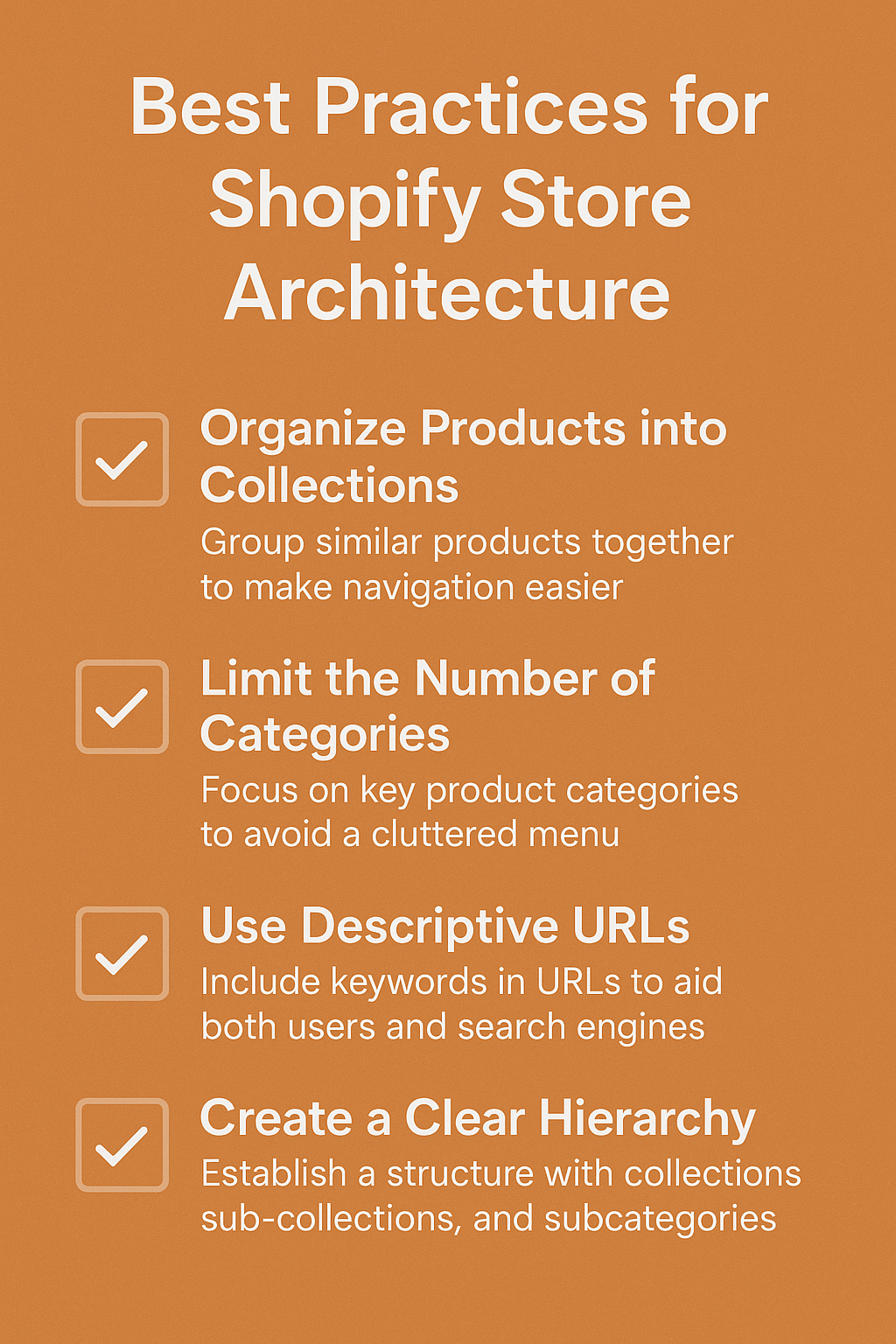
The foundation of great store architecture starts with logical category organization. Your main navigation should never exceed 7 primary categories – this follows the psychological principle that humans can easily process 7±2 items at once.
Here’s how successful stores typically structure their categories. Fashion retailers often use: Women’s → Tops → Blouses → Casual Blouses. This creates what we call a “semantic hierarchy” that both users and search engines understand. Each level becomes more specific, allowing customers to drill down naturally to find exactly what they need.
Electronics stores might follow: Gaming → Consoles → PlayStation → PS5 Accessories. Notice how each level narrows the focus while maintaining logical connections. This structure supports your semantic SEO efforts by creating clear topical relationships between products.
The depth of your categories matters too. Research shows that products buried more than 3 clicks deep from the homepage experience 67% fewer page views. Keep your most popular products within 2-3 clicks of your main navigation.
What Makes an Effective Homepage Layout for Conversions?
Your homepage serves as the central hub that distributes traffic throughout your store. The most effective layouts follow the “inverted pyramid” principle – start with broad appeal and funnel down to specific actions.
Above the fold, feature your primary value proposition and hero products. Statistics show that 57% of page views don’t scroll past the initial screen view, so this real estate is precious. Successful stores like Beardbrand immediately communicate what they sell and why customers should care.
Include strategic category previews that showcase your range without overwhelming visitors. Use high-quality lifestyle images that help customers envision using your products. This approach typically increases category click-through rates by 28% compared to simple product grids.
Your homepage should also include trust signals like customer reviews, security badges, and shipping information. These elements address common purchase objections early in the customer journey.
Which Navigation Structure Drives the Most Sales?
Effective navigation combines intuitive design with strategic on-page SEO elements. Your main menu should use descriptive, keyword-rich category names instead of creative but unclear labels. Instead of “Fresh Finds,” use “New Arrivals” – it’s clearer for both users and search engines.
Implement a mega menu for stores with extensive product ranges. Mega menus allow you to showcase subcategories, featured products, and promotional content simultaneously. Fashion retailer ASOS uses mega menus effectively to display hundreds of categories without cluttering their interface.
Don’t forget about mobile navigation – over 79% of Shopify traffic comes from mobile devices. Use a hamburger menu that expands to show your full category structure. Ensure that all navigation elements are thumb-friendly and load quickly on mobile connections.
Include a robust search function with auto-suggestions and filtering options. Internal site search users convert 1.8x more than average visitors, making this feature crucial for revenue generation.
How Can You Optimize Your Product Page Structure?
Product pages are where conversions happen, so their structure needs to remove every possible friction point. Start with a clear product title that includes your primary keyword naturally. Instead of “Awesome Blue Shirt,” use “Men’s Navy Cotton Casual Button-Down Shirt.”
Position your product images strategically – use high-resolution photos that showcase different angles, lifestyle contexts, and detail shots. Include zoom functionality and consider 360-degree views for complex products. Visual content influences 93% of purchasing decisions, making this investment worthwhile.
Your product descriptions should answer common questions before customers think to ask them. Include dimensions, materials, care instructions, and usage scenarios. Structure this information using headers and bullet points for easy scanning. This approach supports your SEO audit efforts by providing rich, relevant content for search engines to index.
Place trust elements like customer reviews, return policies, and security badges prominently near your add-to-cart button. Social proof increases conversion rates by an average of 34%, particularly for new visitors who haven’t established trust with your brand yet.
What Role Does Internal Linking Play in Store Success?
Internal linking acts as the circulatory system of your Shopify store, distributing authority and guiding both users and search bots through your content. Strategic internal linking can increase organic traffic by up to 25% while improving user engagement metrics.
Create contextual links between related products using “You might also like” or “Frequently bought together” sections. This not only increases average order value but also helps search engines understand product relationships. Amazon’s recommendation engine, built largely on internal linking patterns, drives 35% of their revenue.
Implement breadcrumb navigation throughout your store. Breadcrumbs improve user experience by showing the current location within your site hierarchy and provide additional internal linking opportunities. They also appear in search results, potentially increasing click-through rates.
Link to your most important category and product pages from multiple locations throughout your site. Your homepage, footer, and sidebar areas offer prime real estate for these strategic links. This distribution helps search engines identify your most valuable content.
How Should You Handle URL Structure and Hierarchy?
Clean, descriptive URLs contribute significantly to both user experience and search engine optimization. Shopify allows you to customize your URL handles, so take advantage of this flexibility. Use URLs that describe the page content clearly: /collections/mens-running-shoes instead of /collections/category-123.
Keep URLs short and focused – research indicates that URLs with fewer than 60 characters perform better in search results. Remove unnecessary words like “and,” “the,” or “of” while maintaining readability. Your URL should give users and search engines a clear idea of the page content before they even visit.
Maintain consistent URL patterns throughout your store. If you use /collections/ for category pages, stick with this structure across your entire site. Consistency helps users predict URLs and makes your site architecture more logical for search engine crawlers.
Consider implementing a logical hierarchy in your URL structure that mirrors your navigation. For example: /collections/womens-clothing/dresses/summer-dresses creates a clear path that both users and search engines can follow easily.
What Are the Essential Technical Architecture Elements?
Technical architecture forms the invisible backbone that determines your store’s performance and search visibility. Page speed ranks among the most critical factors – Google uses site speed as a ranking signal, and users expect pages to load within 3 seconds. Compress images, minimize code, and choose a lightweight theme to maintain optimal loading times.
Implement structured data markup to help search engines understand your product information. Schema markup for products, reviews, and business information can result in rich snippets that increase click-through rates by up to 58%. Shopify themes often include basic schema, but custom implementation provides more control.
Ensure your store architecture supports local SEO if you have physical locations or serve specific geographic areas. Include location pages with unique content, local business schema, and consistent NAP (Name, Address, Phone) information across all pages.
Set up proper 301 redirects when changing URLs or discontinuing products. Broken links frustrate users and waste the SEO value you’ve built over time. Regular SEO audits help identify and fix these issues before they impact your rankings.
Action Points for Implementing These Best Practices
Start by conducting a comprehensive audit of your current store structure. Map out your category hierarchy, identify navigation pain points, and analyze user behavior through Google Analytics. Look for pages with high bounce rates or low time-on-page metrics – these often indicate structural problems.
Create a site map that visualizes your ideal architecture before making changes. This planning phase prevents mistakes and ensures your new structure serves both business goals and user needs. Consider seasonal trends and growth plans when designing your hierarchy.
Implement changes gradually to monitor their impact on user behavior and search rankings. Test different navigation elements, category names, and internal linking strategies using A/B testing tools. What works for one store might not work for another, so data-driven decisions are crucial.
Monitor key metrics like organic traffic, conversion rates, pages per session, and average order value. These indicators reveal whether your architectural changes are improving user experience and business performance. Set up automated reports to track progress over time.
Building Your Architecture for Long-Term Success
Great Shopify store architecture isn’t built overnight – it’s an ongoing process that evolves with your business and customer needs. The brands that succeed long-term treat their store structure as a living system that adapts to new products, seasonal changes, and shifting customer behavior patterns.
Remember that your architecture decisions today will impact your store’s scalability tomorrow. Plan for growth by creating flexible category structures and URL patterns that can accommodate new product lines without major restructuring. Your SEO services investment pays dividends when your store architecture supports both current needs and future expansion.
The most successful e-commerce entrepreneurs understand that great architecture combines logical organization, user psychology, and technical optimization. When these elements work together seamlessly, they create shopping experiences that convert visitors into customers and customers into advocates.
Your store’s architecture might be invisible to most visitors, but its impact on your bottom line is undeniable. Take the time to get it right, and you’ll build a foundation for sustainable e-commerce success.