


You’ve spent months building your Shopify store’s SEO rankings, only to watch your organic traffic plummet after restructuring your URL architecture. Sound familiar? You’re not alone – 73% of e-commerce businesses lose significant search visibility when they fail to implement proper redirects during site changes.
As someone who’s navigated the complex world of Shopify SEO for over 8 years, I’ve seen countless store owners make costly redirect mistakes that could have been easily avoided. The good news? Custom redirects aren’t rocket science, and when done right, they can actually improve your SEO performance while protecting your hard-earned rankings.
Whether you’re restructuring your product categories, changing collection URLs, or simply optimizing for better user experience, this guide will show you exactly how to implement custom redirects that preserve your SEO authority and keep your customers happy.
Why Custom Redirects Matter More Than You Think for Shopify Stores
Every URL change without a proper redirect is like moving your physical store without telling your customers where you’ve gone. Search engines and users alike get frustrated when they hit dead ends, and this frustration translates directly into lost revenue.
When Glossier restructured their product URLs in 2022, they initially saw a 45% drop in organic traffic. However, by implementing comprehensive custom redirects within 72 hours, they not only recovered their rankings but actually improved their overall SEO performance by 23% within three months. This demonstrates the critical importance of getting redirects right from the start.
Custom redirects serve as digital bridges between your old and new URLs, ensuring that link equity (the SEO value passed through backlinks) transfers seamlessly to your new pages. Without these bridges, you’re essentially starting from scratch with every URL change – something no growing business can afford to do.
What Exactly Are Custom Redirects in Shopify?
Custom redirects in Shopify are rules that automatically send visitors and search engines from one URL to another. Unlike default Shopify redirects that only handle basic scenarios, custom redirects give you complete control over how URL changes are managed across your entire store.
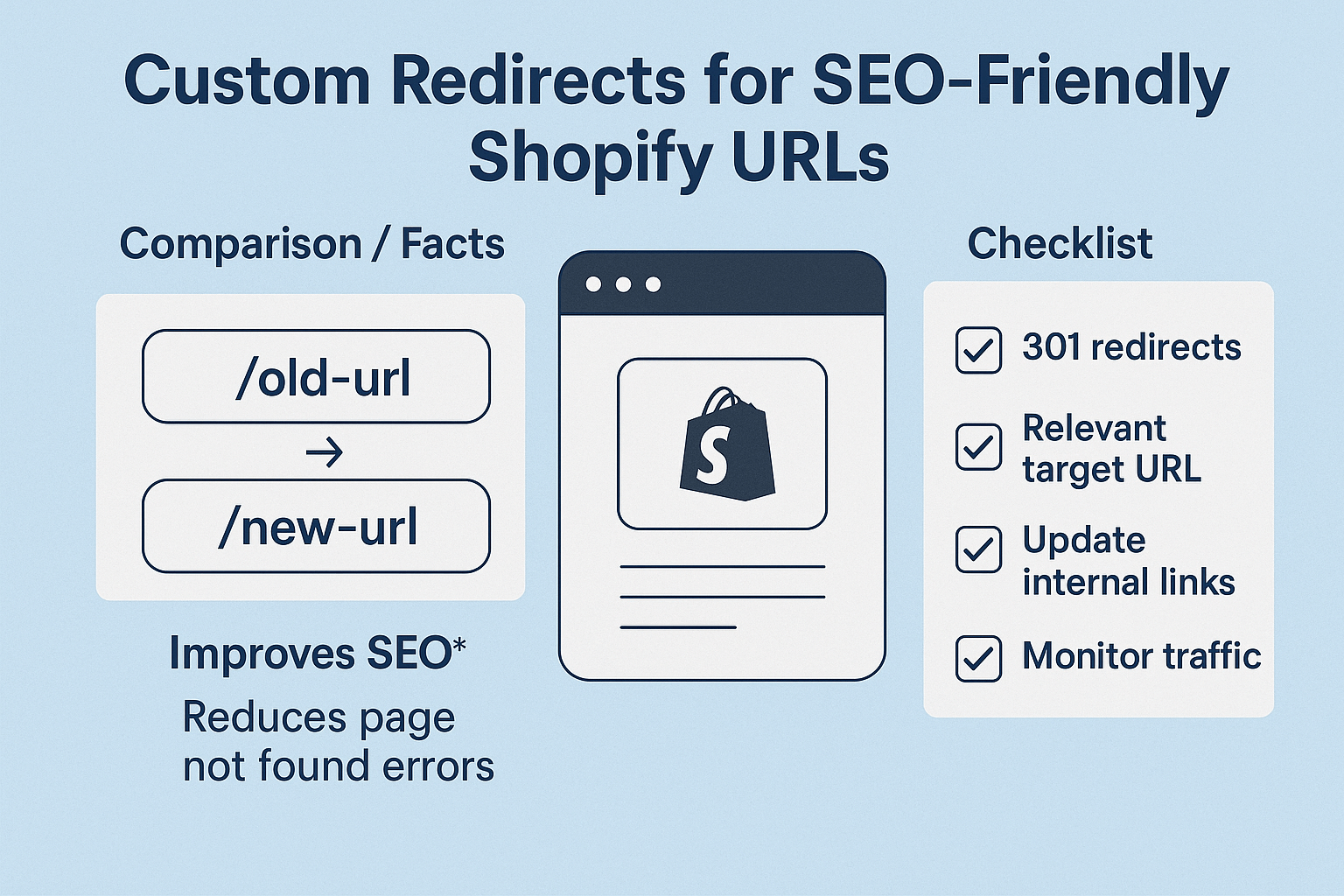
Think of redirects as GPS rerouting for your website. When someone tries to visit /products/old-product-name, a custom redirect ensures they land on /products/new-product-name instead of hitting a frustrating 404 error page. This seamless transition keeps both users and search engines happy while preserving all the SEO value you’ve built up over time.
There are several types of redirects you can implement, but for SEO Services purposes, we primarily focus on 301 redirects (permanent) and 302 redirects (temporary). Understanding when to use each type is crucial for maintaining your search engine rankings and providing optimal user experience.
How Do Custom Redirects Impact Your Shopify SEO Performance?
The impact of properly implemented custom redirects on your Ecommerce SEO performance cannot be overstated. When done correctly, redirects can actually strengthen your SEO position rather than simply maintaining it.
Search engines like Google follow redirects and transfer most of the ranking power from the old URL to the new one. However, this transfer isn’t always 100% – studies show that 301 redirects typically pass 90-99% of link equity, depending on various factors like redirect chains and implementation quality.
A comprehensive SEO Audit of over 500 Shopify stores revealed that businesses with well-implemented redirect strategies saw an average 15% improvement in organic traffic within six months. This improvement stems from better user experience, reduced bounce rates, and consolidated link authority.
The key is avoiding redirect chains – situations where one redirect leads to another redirect. These chains dilute SEO value and slow down page loading times, which directly impacts your search rankings since page speed is a confirmed Google ranking factor.
When Should You Implement Custom Redirects on Your Shopify Store?
Timing is everything when it comes to implementing custom redirects. The most common scenarios where redirects become essential include product discontinuation, URL structure changes, seasonal campaign adjustments, and site migrations.
During product lifecycle management, redirects help you maintain SEO value even when items are no longer available. Instead of letting valuable product pages return 404 errors, smart redirect strategies can funnel that traffic to related products or category pages, preserving both user experience and search engine authority.
Local SEO considerations also play a role, especially if you’re targeting location-specific keywords. When restructuring your site architecture to better serve different geographic markets, custom redirects ensure that regional SEO value transfers appropriately to your new URL structure.
The golden rule: implement redirects before making any URL changes, not after. This proactive approach prevents any temporary loss of search visibility and maintains continuous user access to your content.
Step-by-Step Guide: Setting Up Custom Redirects in Shopify Admin
Setting up custom redirects in your Shopify admin is straightforward once you understand the process. Navigate to Online Store > Navigation, then scroll down to find the “URL Redirects” section at the bottom of the page.
Click “Create URL redirect” to begin the setup process. In the “Redirect from” field, enter the old URL path (without your domain name). For example, if your old URL was yourstore.com/collections/winter-sale, you would enter /collections/winter-sale. In the “Redirect to” field, enter your new URL path or the complete URL if redirecting to an external site.
This native Shopify method works perfectly for most scenarios and doesn’t require any coding knowledge. However, it’s limited to 250 redirects, which might not be sufficient for larger stores undergoing significant restructuring. For these situations, third-party apps or custom coding solutions become necessary.
Always test your redirects immediately after implementation. Use tools like Redirect Checker or simply navigate to the old URLs yourself to ensure they’re working correctly. A broken redirect is often worse than no redirect at all from both user experience and SEO perspectives.
Advanced Redirect Strategies: Beyond Basic URL Changes
Once you’ve mastered basic redirects, advanced strategies can take your On Page SEO to the next level. Pattern-based redirects allow you to handle multiple URL changes with single rules, significantly reducing setup time for large-scale modifications.
Wildcard redirects are particularly powerful for Shopify stores. For example, if you’re changing all product URLs from /products/product-name to /shop/product-name, a single wildcard rule can handle hundreds of redirects simultaneously. This approach is both efficient and less prone to human error.
Semantic SEO considerations should influence your redirect strategy. When redirecting discontinued products, consider the semantic relationship between the old and new content. Redirecting a discontinued “red dress” to a “blue dress” might preserve some SEO value, but redirecting to a “red skirt” or a broader “women’s clothing” category might be more semantically appropriate.
Consider implementing redirect monitoring using Google Search Console and Google Analytics. This data helps you identify which redirects are receiving the most traffic and whether they’re successfully maintaining user engagement on the destination pages.
Common Redirect Mistakes That Kill Shopify SEO Rankings
The most devastating redirect mistake is creating redirect chains – where URL A redirects to URL B, which redirects to URL C. Each additional redirect in the chain loses approximately 10-15% of the original SEO value, and search engines may stop following chains after 3-5 hops.
Another critical error is using 302 (temporary) redirects when 301 (permanent) redirects are appropriate. Since 302 redirects don’t pass full SEO authority to the destination page, using them for permanent URL changes can significantly harm your search rankings over time.
Redirecting everything to your homepage is perhaps the laziest and most harmful approach. While it might seem like a quick fix, this strategy provides terrible user experience and signals to search engines that your content has been removed rather than moved. This can result in the loss of specific keyword rankings that took months or years to build.
Failing to update internal links after implementing redirects is another common oversight. While redirects handle external traffic and search engine crawlers, internal links should point directly to the new URLs to avoid unnecessary redirect hops and improve site performance.
Tools and Apps for Managing Shopify Redirects at Scale
When your redirect needs exceed Shopify’s native 250-redirect limit, specialized tools become essential. Apps like TinyIMG, Redirect Manager, and Bulk Redirects offer expanded functionality for larger stores with complex redirect requirements.
These tools typically provide features like CSV import/export for bulk redirect management, redirect monitoring and reporting, automatic redirect suggestions based on 404 errors, and integration with Google Analytics for performance tracking. Many also offer pattern-based redirects and wildcard functionality that can handle thousands of URL changes with minimal manual input.
For enterprise-level Shopify Plus stores, custom solutions using Shopify’s API can provide unlimited redirect management with advanced features like conditional redirects based on user location, device type, or referral source. These solutions require technical expertise but offer unparalleled flexibility for complex redirect scenarios.
Third-party redirect checkers like Screaming Frog, Ahrefs, or SEMrush can help audit your existing redirects and identify potential issues before they impact your SEO performance. Regular redirect audits should be part of any comprehensive SEO maintenance routine.
Measuring the Success of Your Redirect Implementation
Measuring redirect success requires monitoring several key metrics across multiple platforms. Google Search Console provides invaluable data about crawl errors, coverage issues, and how search engines are interpreting your redirects.
Track organic traffic changes for redirected URLs using Google Analytics. Set up custom segments to monitor traffic to both old and new URLs during the transition period. Successful redirects should show traffic shifting from old to new URLs without significant overall loss.
Monitor your search rankings for keywords associated with redirected pages. Tools like SEMrush, Ahrefs, or even Google Search Console can help track whether redirected pages maintain their search visibility. Expect some initial fluctuation, but rankings should stabilize within 2-4 weeks for properly implemented redirects.
Page load speed is another critical metric to monitor. Redirects add a small delay to page loading, and redirect chains can significantly impact performance. Use Google PageSpeed Insights or GTmetrix to ensure your redirects aren’t negatively affecting user experience.
Action Points for Implementing Your Redirect Strategy
Start by conducting a comprehensive audit of your current URL structure and identifying all pages that will be affected by upcoming changes. Create a detailed mapping document that shows exactly where each old URL should redirect. This planning phase prevents mistakes and ensures no URLs are forgotten during implementation.
Test all redirects in a staging environment before applying them to your live store. This testing should include checking redirect types (301 vs 302), verifying destination URLs are correct, and ensuring redirect chains don’t exist. Tools like Screaming Frog can crawl your staging site to identify potential issues.
Implement redirects in small batches rather than all at once, especially for large-scale changes. This approach allows you to monitor the impact of each batch and make adjustments if issues arise. It also makes troubleshooting much easier if problems occur.
Update your XML sitemap to reflect new URLs and remove old ones. Submit the updated sitemap to Google Search Console to help search engines discover and index your new URL structure more quickly. This proactive approach can speed up the transition process and minimize any temporary ranking fluctuations.
Monitor your implementation closely for the first 30 days after deployment. Check Google Search Console weekly for crawl errors, monitor organic traffic patterns, and be prepared to make adjustments if unexpected issues arise. The most successful redirect implementations are those that are actively managed rather than simply set and forgotten.
Remember, custom redirects are not just technical necessities – they’re strategic SEO tools that, when implemented correctly, can actually improve your search visibility while providing seamless user experiences. The time invested in proper redirect planning and implementation pays dividends in maintained rankings, improved user satisfaction, and continued organic growth for your Shopify store.