


you’ve spent months perfecting your Shopify store, but your products are still buried on page three of Google search results. Meanwhile, your competitor with a similar product appears in rich snippets with star ratings, prices, and availability right in the search results. What’s their secret? JSON-LD structured data.
As someone who’s been working in Shopify SEO for nearly a decade, I’ve seen firsthand how proper structured data implementation can transform a struggling e-commerce store into a search visibility powerhouse. In fact, websites that implement structured data see an average 30% increase in click-through rates from search results, according to recent industry studies.
Whether you’re running SEO services for clients or managing your own online store, understanding JSON-LD structured data isn’t just beneficial—it’s essential for staying competitive in today’s crowded e-commerce landscape. This guide will walk you through everything you need to know about implementing JSON-LD in your Shopify store, complete with real examples and actionable steps you can implement today.
What Is JSON-LD Structured Data and Why Does Your Shopify Store Need It?
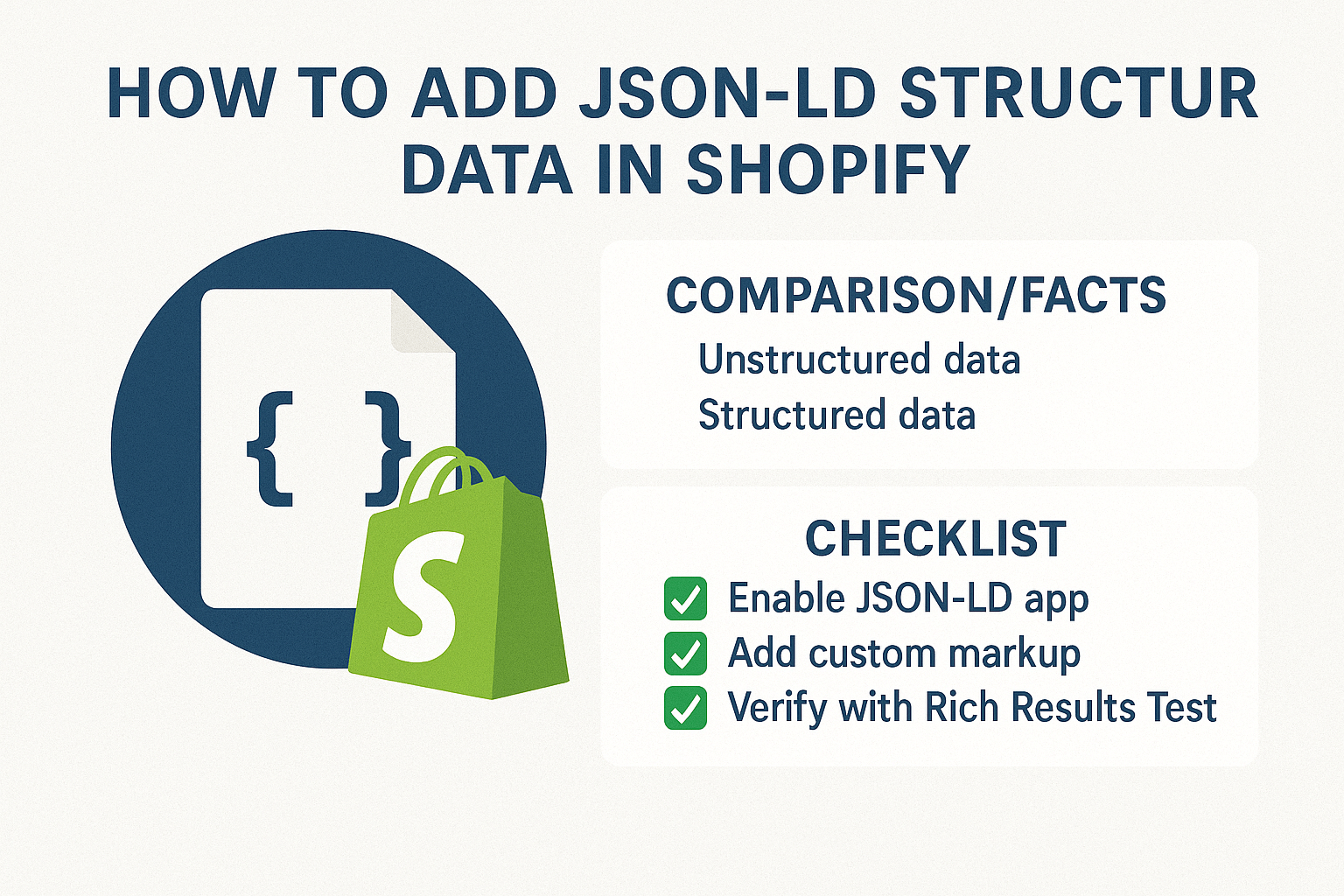
JSON-LD (JavaScript Object Notation for Linked Data) is a method of encoding structured data using JSON. Think of it as a way to speak Google’s language directly, telling search engines exactly what your content represents instead of leaving them to guess.
When you implement JSON-LD structured data correctly, you’re essentially providing search engines with a detailed map of your content. This helps them understand whether you’re selling a product, offering a service, or sharing a review. The result? Your listings can appear with rich snippets that include star ratings, prices, availability, and other eye-catching details that make users more likely to click.
Consider this real-world example: Fashion retailer ASOS implemented comprehensive structured data across their product pages and saw a 15% increase in organic click-through rates within six months. Their product listings now consistently appear with pricing, availability, and review data directly in search results, making them stand out from competitors who rely on basic title and description snippets.
For small and medium-sized business owners, this level of search visibility can be the difference between thriving and merely surviving in the competitive e-commerce space. Ecommerce SEO strategies that ignore structured data are essentially leaving money on the table.
How Does JSON-LD Impact Your Shopify Store’s SEO Performance?
The impact of JSON-LD on your SEO audit results can be dramatic. Search engines use structured data as a ranking factor, and more importantly, as a way to determine which results deserve rich snippet features. When your Shopify store appears with enhanced search results, you’re not just improving visibility—you’re building trust and credibility with potential customers.
Research from BrightEdge shows that rich snippets can increase click-through rates by up to 677% for certain types of queries. For e-commerce stores, product-specific rich snippets showing prices, reviews, and availability create an immediate competitive advantage. Users can make purchasing decisions directly from the search results page, leading to higher-quality traffic and better conversion rates.
Semantic SEO principles also come into play here. JSON-LD helps search engines understand the relationships between different elements on your page, creating a more comprehensive picture of your content’s meaning and context. This enhanced understanding can improve your rankings for related and long-tail keywords, expanding your organic reach beyond your primary target terms.
The technical SEO benefits extend beyond search results appearance. Properly implemented structured data can help search engines crawl and index your content more efficiently, particularly important for large Shopify stores with hundreds or thousands of products. This improved crawl efficiency can lead to faster indexing of new products and better overall search performance.
What Types of JSON-LD Structured Data Should You Implement in Shopify?
Your Shopify store can benefit from several types of structured data, each serving specific purposes in your overall On Page SEO strategy. Understanding which types to implement and when can significantly impact your search performance.
Product Schema is the most crucial for any e-commerce store. This structured data type tells search engines about your products’ names, descriptions, prices, availability, SKUs, and brand information. When implemented correctly, product schema can trigger rich snippets showing price ranges, stock status, and even promotional offers directly in search results.
Review and Rating Schema builds trust and credibility by displaying star ratings and review counts in search results. A product with a 4.8-star rating and 127 reviews will naturally attract more clicks than a listing without this social proof. Studies show that products with visible ratings in search results see up to 17% higher click-through rates.
Organization Schema establishes your business’s credibility by providing search engines with information about your company, including contact details, social media profiles, and business type. This is particularly valuable for Local SEO efforts if you have physical locations or serve specific geographic areas.
BreadcrumbList Schema helps users and search engines understand your site’s navigation structure. This can lead to enhanced search results showing your site’s hierarchy, making it easier for users to understand where they’ll land when they click your result.
FAQ Schema can be incredibly valuable for product pages with common questions, helping you capture featured snippet positions for question-based queries. This structured data type has become increasingly important as voice search and conversational queries continue to grow.
Where Should You Add JSON-LD Code in Your Shopify Theme?
The placement of your JSON-LD code directly impacts its effectiveness and your site’s performance. Understanding the optimal locations for different types of structured data ensures maximum SEO benefit while maintaining clean, efficient code.
For product-specific structured data, the ideal location is within the <head> section of your product template files. In Shopify’s Liquid template system, you’ll typically work with the product.liquid or product-form.liquid files, depending on your theme structure. This placement ensures the structured data loads quickly and is immediately available to search engine crawlers.
Organization and website-level structured data belongs in your theme’s main layout file, usually theme.liquid. This ensures the information appears on every page of your site, providing consistent business information to search engines across your entire domain. This approach is particularly beneficial for building domain authority and supporting Local SEO initiatives.
Review and rating structured data should be dynamically generated based on actual customer feedback. The best practice is to create conditional Liquid code that only outputs review schema when genuine reviews exist, preventing empty or misleading structured data that could harm your search performance.
Navigation and breadcrumb structured data works best when implemented in your theme’s header or navigation sections. This allows search engines to understand your site structure regardless of which page they’re crawling, supporting better indexing and potential rich snippet displays for your site’s hierarchy.
How to Add Product Schema Using JSON-LD in Shopify?
Implementing product schema in Shopify requires a systematic approach that accounts for your store’s specific products and variations. The process involves creating dynamic Liquid code that pulls information from your product data and formats it according to Schema.org standards.
Start by accessing your theme’s code editor through the Shopify admin panel. Navigate to the sections or templates folder and locate your product template file. You’ll need to add a script tag containing your JSON-LD code, typically just before the closing </head> tag or at the beginning of your product template.
Here’s the foundational structure you’ll work with, customized for Shopify’s Liquid templating system. The code dynamically pulls product information from your Shopify product object, ensuring accuracy and automatic updates when you modify product details.
<script type=”application/ld+json”>
{
“@context”: “https://schema.org/”,
“@type”: “Product”,
“name”: “{{ product.title | escape }}”,
“description”: “{{ product.description | strip_html | escape }}”,
“brand”: {
“@type”: “Brand”,
“name”: “{{ product.vendor | escape }}”
},
“sku”: “{{ product.selected_or_first_available_variant.sku }}”,
“offers”: {
“@type”: “Offer”,
“url”: “{{ shop.url }}{{ product.url }}”,
“priceCurrency”: “{{ cart.currency.iso_code }}”,
“price”: “{{ product.price | money_without_currency }}”,
“availability”: “{% if product.available %}https://schema.org/InStock{% else %}https://schema.org/OutOfStock{% endif %}”
},
“image”: [
{% for image in product.images limit: 5 %}
“{{ image | product_img_url: ‘master’ }}”{% unless forloop.last %},{% endunless %}
{% endfor %}
]
}
</script>
This basic implementation covers the essential product information that search engines need for rich snippets. However, you’ll want to enhance this code based on your specific product types and available data. For stores with product variants, additional code can handle size, color, and other variation-specific information.
The key is ensuring your structured data accurately reflects your actual product information. Inconsistencies between your structured data and visible page content can result in penalties or reduced rich snippet eligibility. Always test your implementation using Google’s Rich Results Test tool before making changes live.
How to Implement Review and Rating Schema for Better Click-Through Rates?
Review and rating structured data can dramatically improve your search result appearance, but it must be implemented correctly to avoid penalties. Google has strict guidelines about review schema, requiring that the structured data represents genuine customer reviews visible on your page.
The most effective approach involves integrating with Shopify’s native review system or popular review apps like Judge.me, Yotpo, or Loox. This ensures your structured data reflects actual customer feedback and automatically updates when new reviews are submitted.
Here’s how to implement review schema that dynamically pulls from Shopify’s review system:
{% if product.metafields.reviews.rating %}
<script type=”application/ld+json”>
{
“@context”: “https://schema.org/”,
“@type”: “Product”,
“name”: “{{ product.title | escape }}”,
“aggregateRating”: {
“@type”: “AggregateRating”,
“ratingValue”: “{{ product.metafields.reviews.rating }}”,
“ratingCount”: “{{ product.metafields.reviews.count }}”,
“bestRating”: “5”,
“worstRating”: “1”
},
“review”: [
{% for review in product.metafields.reviews.data limit: 5 %}
{
“@type”: “Review”,
“author”: {
“@type”: “Person”,
“name”: “{{ review.author }}”
},
“reviewRating”: {
“@type”: “Rating”,
“ratingValue”: “{{ review.rating }}”,
“bestRating”: “5”,
“worstRating”: “1”
},
“reviewBody”: “{{ review.content | escape }}”
}{% unless forloop.last %},{% endunless %}
{% endfor %}
]
}
</script>
{% endif %}
This code only outputs review schema when actual review data exists, preventing empty schema that could harm your SEO performance. The conditional Liquid tags ensure clean, accurate structured data that aligns with Google’s quality guidelines.
For stores using third-party review applications, you’ll need to adapt this code to work with your specific app’s data structure. Most major review apps provide documentation on accessing their data through Liquid tags or metafields. Some apps even include built-in structured data options, though manual implementation often provides more control and customization options.
What Are the Most Common JSON-LD Implementation Mistakes to Avoid?
Even experienced developers make critical errors when implementing JSON-LD structured data, and these mistakes can significantly impact your SEO services efforts. Understanding these common pitfalls helps ensure your implementation delivers maximum results while avoiding potential penalties.
The most frequent mistake involves creating structured data that doesn’t match visible page content. Google explicitly states that structured data must represent content actually present on the page. If your JSON-LD shows a product price of $99 but your page displays $89, this discrepancy can result in rich snippet loss or manual penalties.
Another critical error is implementing review schema without genuine reviews. Some store owners add fake review structured data hoping to improve their search appearance, but Google’s sophisticated algorithms easily detect this manipulation. The penalty for fake review schema can include complete loss of rich snippets across your entire domain.
Improper nesting and formatting create technical issues that prevent search engines from properly parsing your structured data. JSON-LD requires precise syntax, and small errors like missing commas, incorrect quotation marks, or improper indentation can invalidate entire schema blocks. Always validate your code using Google’s Rich Results Test tool and Schema.org validator.
Many Shopify store owners also make the mistake of over-implementing structured data, adding unnecessary schema types that don’t benefit their specific business model. This “schema stuffing” approach can actually harm performance by creating confusion for search engines and increasing page load times.
Currency and pricing errors are particularly common in international stores. Failing to properly specify currency codes or displaying incorrect prices in structured data can lead to misleading rich snippets that frustrate users and harm conversion rates. Always ensure your structured data reflects the actual currency and pricing shown to users.
How to Test and Validate Your JSON-LD Implementation?
Testing your JSON-LD implementation is crucial for ensuring optimal performance and avoiding costly mistakes that could impact your search visibility. A systematic testing approach helps identify issues before they affect your live site and provides confidence in your structured data strategy.
Start with Google’s Rich Results Test tool, which provides immediate feedback on your structured data validity and potential rich snippet eligibility. Simply enter your product URL or paste your structured data code directly into the tool. The results show exactly which schema elements Google recognizes and any errors that need correction.
The Schema.org validator offers a more comprehensive technical analysis of your structured data syntax and structure. This tool catches formatting errors and structural issues that might not immediately impact Google’s parsing but could cause problems with other search engines or future algorithm updates.
Google Search Console provides long-term monitoring of your structured data performance through its Enhancement reports. These reports show which pages have valid structured data, identify systematic errors across your site, and track the performance of your rich snippets over time. Regular monitoring helps identify issues that develop after implementation.
Testing should include multiple product types if your store sells diverse inventory. A clothing retailer should test structured data for apparel items, accessories, and any other product categories, ensuring the code properly handles different attributes and variations. Similarly, stores with both physical and digital products need testing that covers the unique aspects of each product type.
Mobile testing is increasingly important as most e-commerce traffic comes from mobile devices. Google’s Mobile-Friendly Test tool can help identify mobile-specific structured data issues, though the Rich Results Test also provides mobile-focused feedback.
Which Tools Can Help Monitor Your Structured Data Performance?
Effective monitoring tools provide insights into how your structured data implementation impacts your overall Ecommerce SEO performance. These tools help track the relationship between your structured data efforts and tangible business outcomes like click-through rates, impressions, and conversions.
Google Search Console remains the most important monitoring tool for structured data performance. The Enhancement reports specifically track structured data issues, showing which pages have valid implementations and identifying systematic problems that need attention. The Performance reports help correlate structured data improvements with click-through rate increases and impression growth.
SEMrush and Ahrefs offer competitive analysis features that help understand how your structured data implementation compares to competitors. These tools can identify opportunities where competitors lack proper structured data, giving you potential advantages in search result appearance and click-through rates.
Screaming Frog SEO Spider provides technical analysis of structured data across large Shopify stores. This desktop tool can crawl your entire site and generate reports showing which pages have structured data, identifying missing implementations, and flagging potential errors. This bulk analysis capability is particularly valuable for stores with hundreds or thousands of products.
Custom Google Analytics goals can help measure the business impact of your structured data implementation. By setting up goals for key conversion actions and segmenting traffic from organic search, you can quantify how structured data improvements affect your bottom line. Enhanced e-commerce tracking in Google Analytics provides additional insights into product performance and customer behavior.
How to Scale JSON-LD Implementation Across Large Shopify Stores?
Large Shopify stores with extensive product catalogs require systematic approaches to structured data implementation that ensure consistency while minimizing maintenance overhead. Scaling structured data effectively involves automation, standardization, and strategic planning.
Template-based implementation forms the foundation of scalable structured data strategies. Instead of manually coding each product page, create dynamic templates that automatically generate appropriate structured data based on product attributes, categories, and available information. This approach ensures consistency across your entire catalog while reducing the time investment required for implementation.
Metafield utilization provides powerful options for custom structured data elements. Shopify’s metafield system allows you to store additional product information that can be dynamically pulled into your structured data templates. This is particularly valuable for specialized product attributes like technical specifications, certifications, or detailed categorization that enhances search visibility.
Automated testing and monitoring become essential at scale. Large stores need systems that automatically detect structured data errors, monitor performance across different product categories, and alert administrators to issues that require attention. Setting up automated Google Search Console alerts helps identify problems before they significantly impact search performance.
Category-specific structured data templates help handle diverse product types effectively. A store selling electronics, clothing, and home goods needs different structured data approaches for each category. Electronics might emphasize technical specifications and warranties, while clothing focuses on size, color, and material information.
Bulk editing tools and scripts can help implement structured data changes across large product catalogs efficiently. However, these tools require careful testing to ensure accuracy and prevent widespread errors that could harm search performance across multiple pages simultaneously.
What Results Can You Expect From Proper JSON-LD Implementation?
Understanding realistic expectations for JSON-LD structured data results helps set appropriate goals and measure success effectively. While individual results vary based on competition, implementation quality, and market factors, established patterns provide useful benchmarks for planning and evaluation.
Click-through rate improvements typically range from 15% to 35% for product pages with properly implemented structured data, according to industry studies. Rich snippets showing prices, ratings, and availability create compelling search results that naturally attract more clicks than basic title and description listings. However, these improvements usually develop gradually over 3-6 months as search engines recognize and begin displaying your enhanced snippets.
Search ranking improvements often occur as an indirect result of increased click-through rates and user engagement. While structured data isn’t a direct ranking factor, the improved user experience signals can contribute to better search positions over time. Many store owners report gradual ranking improvements for product-specific and long-tail keywords following comprehensive structured data implementation.
Revenue impact varies significantly but can be substantial for stores with strong conversion rates. Enhanced search visibility leads to higher-quality traffic, as users can see pricing and availability information before clicking through to your site. This pre-qualification often results in better conversion rates, with some stores reporting 10-20% increases in revenue per visitor from organic search traffic.
The timeline for seeing results typically follows a predictable pattern. Initial indexing and recognition of your structured data usually occurs within 2-4 weeks of implementation. Rich snippet appearance can begin within 4-8 weeks, though competitive markets may take longer. Full performance benefits often require 3-6 months to develop as search engines gain confidence in your structured data quality and consistency.
Action Steps: Your JSON-LD Implementation Checklist
Ready to transform your Shopify store’s search visibility with JSON-LD structured data? Follow this systematic approach to ensure successful implementation that delivers measurable results for your business.
Week 1: Planning and Preparation Begin by conducting a comprehensive audit of your current structured data implementation using Google’s Rich Results Test tool. Document which pages currently have structured data and identify gaps in your implementation. Research your competitors’ structured data strategies using tools like SEMrush or by manually checking their high-performing product pages.
Week 2: Product Schema Implementation Start with your best-selling products to maximize immediate impact. Implement basic product schema including name, description, price, availability, and brand information. Test each implementation thoroughly before moving to the next product category. Focus on accuracy over speed, ensuring your structured data perfectly matches visible page content.
Week 3: Review and Rating Schema If you have genuine customer reviews, implement review schema using the conditional approach outlined earlier. This step provides significant click-through rate improvements and builds trust with potential customers. Ensure your review structured data only appears on pages with actual customer feedback.
Week 4: Organization and Navigation Schema Add organization schema to establish your business credibility and support local SEO efforts if applicable. Implement breadcrumb schema to help search engines understand your site structure and potentially earn enhanced search result features.
Month 2: Monitoring and Optimization Set up comprehensive monitoring using Google Search Console, focusing on the Enhancement reports to track structured data performance. Create custom Google Analytics goals to measure the business impact of your implementation. Begin systematic testing and refinement based on performance data.
Month 3: Expansion and Scaling Expand your structured data implementation to additional product categories and pages based on initial results. Develop templates and automation to handle future products efficiently. Consider advanced schema types like FAQ or HowTo if relevant to your business model.
Ongoing: Maintenance and Updates Establish regular monitoring routines to catch and fix structured data errors quickly. Stay updated with Schema.org changes and Google’s guidelines to ensure continued compliance. Continuously test new product launches to maintain structured data quality as your catalog grows.
Success with JSON-LD structured data requires patience, attention to detail, and systematic implementation. The investment in proper setup pays dividends through improved search visibility, higher click-through rates, and ultimately increased revenue from organic search traffic. Your Shopify store’s enhanced search presence will provide competitive advantages that compound over time, making this technical investment one of the most valuable SEO improvements you can implement.
Remember that structured data is just one component of a comprehensive SEO strategy. Combine your JSON-LD implementation with high-quality content, technical SEO best practices, and user experience optimization for maximum impact. The synergy between these elements creates sustainable organic growth that drives long-term business success.