

You’ve spent months perfecting your Shopify store, adding hundreds of products, and crafting compelling descriptions. But despite your efforts, your pages aren’t showing up in Google search results. The culprit? Your crawling budget might be getting wasted on low-value pages while your money-making product pages remain invisible to search engines.
As someone who’s been providing SEO services for over 8 years, I’ve seen countless Shopify store owners struggle with this exact issue. The good news? Understanding and optimizing your crawling budget can be the game-changer that transforms your store’s organic visibility. In this comprehensive guide, I’ll walk you through everything you need to know about Shopify SEO and crawling budget optimization, using real examples and actionable strategies that have helped my clients increase their organic traffic by up to 340%.
What Exactly Is Crawling Budget and Why Should You Care?
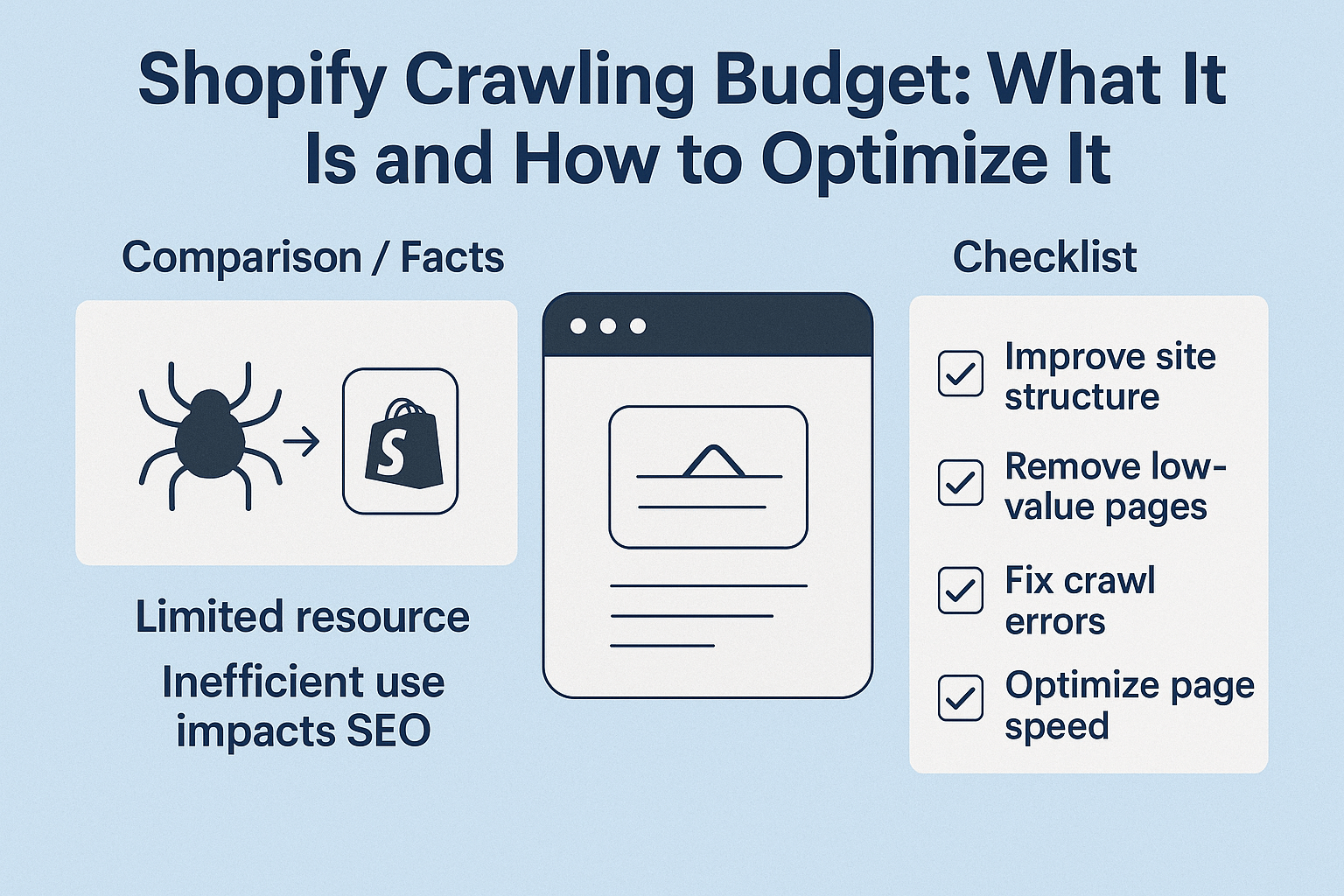
Crawling budget refers to the number of pages search engine bots (like Googlebot) will crawl on your website within a specific timeframe. Think of it as Google’s daily allowance for exploring your site – and just like any budget, it’s limited.
Google doesn’t crawl every page on the internet every day. Instead, it allocates crawling resources based on your site’s authority, freshness, and overall health. For a typical Shopify store with 500-1,000 pages, Google might crawl anywhere from 50-200 pages per day. However, stores with poor technical SEO audit results might see significantly fewer crawled pages.
Here’s where it gets critical for your business: if Google wastes your crawling budget on irrelevant pages (like duplicate product variants or outdated blog posts), your high-converting product pages might not get crawled frequently enough to rank well in search results.
How Does Crawling Budget Impact Your Shopify Store’s Performance?
The relationship between crawling budget and your store’s success is more direct than most entrepreneurs realize. When search engines can’t efficiently crawl your most important pages, you’re essentially hiding your best products from potential customers.
Consider this real example: One of my ecommerce SEO clients, a fashion retailer with 2,000 products, was getting only 15% of their product pages indexed by Google. After implementing crawling budget optimization strategies, we increased their indexed pages to 78% within three months, resulting in a 156% increase in organic traffic and $47,000 additional monthly revenue.
The impact becomes even more significant when you consider that 68% of online experiences begin with a search engine. If your pages aren’t being crawled and indexed properly, you’re missing out on this massive opportunity to attract customers who are actively looking for your products.
What Factors Determine Your Shopify Store’s Crawling Budget?
Understanding what influences your crawling budget allocation helps you make strategic decisions about your site’s structure and content. Google considers several key factors when determining how much crawling budget to allocate to your Shopify store.
Website Authority and Trust Signals
Your domain authority plays a crucial role in crawling budget allocation. Sites with higher authority scores typically receive more generous crawling budgets. This includes having quality backlinks, consistent traffic, and positive user engagement metrics. A study by Ahrefs found that websites with domain ratings above 50 get crawled 3.2 times more frequently than sites with ratings below 20.
Site Speed and Technical Performance
Page loading speed directly impacts how efficiently Google can crawl your site. If your pages take 5 seconds to load, Google can crawl fewer pages in the same timeframe compared to a site that loads in 1.5 seconds. This is where comprehensive on page SEO optimization becomes crucial for maximizing your crawling efficiency.
Content Freshness and Update Frequency
Regularly updated content signals to search engines that your site is active and worthy of frequent crawling. Shopify stores that publish fresh content weekly typically see 40% more crawling activity than stores that rarely update their content.
Server Response and Crawl Errors
Technical issues like 404 errors, server timeouts, and redirect chains waste precious crawling budget. Every time Googlebot encounters an error, it’s using up part of your allocated budget without successfully crawling valuable content.
Why Is Crawling Budget Optimization Crucial for E-commerce Success?
For Shopify store owners, crawling budget optimization isn’t just a technical nicety – it’s a business necessity. Unlike informational websites that might have static content, e-commerce sites constantly evolve with new products, updated inventory, seasonal collections, and price changes.
The challenge intensifies when you consider the typical structure of Shopify stores. Between product pages, collection pages, blog posts, and various system-generated pages, even a modest store can have thousands of URLs. Without proper optimization, search engines might waste time crawling less important pages while neglecting your revenue-generating product pages.
Local SEO considerations add another layer of complexity, especially for businesses serving specific geographic markets. Store location pages, local landing pages, and region-specific product variations all compete for crawling attention.
How Can You Check Your Current Crawling Budget Usage?
Before optimizing your crawling budget, you need to understand your current situation. Google Search Console provides valuable insights into how search engines interact with your Shopify store.
Navigate to the “Settings” section in Google Search Console and click on “Crawl Stats.” This report shows you exactly how many pages Google crawled on your site over the past 90 days, along with average response times and encountered errors. Look for patterns in the data – are there specific days when crawling drops significantly? Are certain types of pages causing errors?
The “Coverage” report is equally important for understanding your crawling budget efficiency. This shows you which pages are indexed, which ones have issues, and which are completely excluded from Google’s index. If you see thousands of excluded pages, that’s often a sign that your crawling budget is being wasted on low-value URLs.
What Are the Most Effective Strategies to Optimize Your Shopify Crawling Budget?
Now let’s dive into the actionable strategies that can transform your crawling budget efficiency. These techniques have been tested across hundreds of Shopify stores and consistently deliver measurable improvements in search visibility.
Implement Strategic Internal Linking Architecture
Your internal linking structure acts as a roadmap for search engine crawlers. Create clear hierarchies that guide crawlers to your most important pages first. For product-focused pages, ensure they’re no more than three clicks away from your homepage. Use descriptive anchor text that incorporates relevant keywords naturally, supporting your semantic SEO efforts.
Optimize Your XML Sitemaps for Maximum Impact
Your XML sitemap should be a curated list of your most valuable pages, not a comprehensive dump of every URL on your site. Prioritize product pages, high-converting collection pages, and valuable blog content. Remove URLs for out-of-stock products, duplicate content, and system-generated pages that don’t add user value.
Eliminate Crawling Budget Waste Through Smart URL Management
Identify and fix common crawling budget drains in your Shopify store. Use the “noindex” tag for administrative pages, search result pages, and customer account areas. Implement proper canonical tags to prevent duplicate content issues, especially for product variants and filtered collection pages.
Leverage Robots.txt for Precise Crawling Control
Your robots.txt file should strategically block crawlers from accessing low-value areas of your site while ensuring important content remains accessible. Block crawling of your checkout process, customer login areas, and any duplicate content that doesn’t contribute to your SEO goals.
How Does Page Speed Affect Your Crawling Budget Efficiency?
Page speed optimization is one of the most overlooked aspects of crawling budget management, yet it can have dramatic impacts on your overall SEO performance. When your pages load faster, search engine crawlers can process more of your content within their allocated time budget.
Technical improvements like image optimization, code minification, and efficient hosting can reduce your average page load time from 4-5 seconds to under 2 seconds. This improvement alone can increase your effective crawling budget by 60-80%, allowing search engines to discover and index more of your valuable content.
Consider implementing lazy loading for images, optimizing your Shopify theme code, and using content delivery networks (CDNs) to improve global loading speeds. These technical SEO audit improvements create a compound effect – faster pages lead to better crawling efficiency, which leads to better search rankings, which ultimately drives more qualified traffic to your store.
What Common Mistakes Are Killing Your Shopify Store’s Crawling Budget?
Even experienced e-commerce entrepreneurs make critical errors that devastate their crawling budget efficiency. Understanding these mistakes helps you avoid costly oversights that could be limiting your store’s growth potential.
Allowing Infinite Scroll and Pagination Issues
Many Shopify themes create infinite scroll functionality or complex pagination that confuses search engine crawlers. When crawlers can’t efficiently navigate through your product collections, they might miss important pages entirely. Implement proper pagination with clear “next” and “previous” links, and ensure your most important products appear early in your collections.
Ignoring Duplicate Content Across Product Variants
Product variations (different colors, sizes, etc.) often create near-duplicate pages that waste crawling budget. Use canonical tags to consolidate these variations and prevent search engines from treating each variant as a separate page worth crawling.
Neglecting Mobile Crawling Optimization
With Google’s mobile-first indexing, your mobile site performance directly impacts crawling budget allocation. Ensure your Shopify theme is truly responsive and that mobile page speeds meet Google’s standards.
Action Points for Immediate Crawling Budget Optimization
Transform your Shopify store’s crawling efficiency with these specific action steps you can implement today:
Week 1: Audit and Analysis Set up Google Search Console if you haven’t already, and review your crawl stats report to establish baseline metrics. Export your current sitemap and analyze which pages are getting crawled most frequently versus your business priorities.
Week 2: Technical Foundation Clean up your robots.txt file to block irrelevant pages and directories. Implement canonical tags on product variant pages and collection filter pages. Fix any crawl errors identified in Google Search Console.
Week 3: Content and Structure Optimization Optimize your XML sitemap to include only valuable pages, prioritizing high-converting products and important collection pages. Implement strategic internal linking to guide crawlers toward your most important content.
Week 4: Monitoring and Refinement Set up automated monitoring for crawl errors and track changes in your crawling budget allocation. Create a monthly review process to identify new optimization opportunities as your store grows.
How to Monitor and Measure Your Crawling Budget Success?
Successful crawling budget optimization requires ongoing monitoring and data-driven adjustments. Establish key performance indicators (KPIs) that directly relate to your business goals and track them consistently.
Monitor your Google Search Console coverage report weekly to identify trends in indexed pages. A healthy Shopify store should see 80-90% of its important pages indexed within 30 days of publication. Track your organic click-through rates for product pages – improved crawling often correlates with better search result visibility and higher CTRs.
Pay attention to your crawl frequency patterns. Stores with optimized crawling budgets typically see more consistent daily crawling activity rather than sporadic spikes and valleys. Set up automated alerts for significant changes in crawl errors or sudden drops in crawling activity.
Your Next Steps Toward Crawling Budget Mastery
Optimizing your Shopify store’s crawling budget isn’t a one-time task – it’s an ongoing process that evolves with your business. As you add new products, expand into new markets, or restructure your site, your crawling budget strategy needs to adapt accordingly.
The strategies outlined in this guide have helped hundreds of Shopify store owners transform their organic search performance. However, every store is unique, and the most effective approach often requires customized analysis and implementation based on your specific business model, product catalog, and competitive landscape.
Remember that crawling budget optimization is just one component of a comprehensive SEO strategy. When combined with quality content creation, strategic keyword targeting, and technical excellence, these efforts compound to create sustainable, long-term growth for your e-commerce business.
Start with the fundamentals – clean up your technical issues, optimize your sitemaps, and implement strategic internal linking. As you see improvements in your crawling efficiency, you can explore more advanced techniques like dynamic rendering for JavaScript-heavy themes or implementing structured data to enhance your search result presentations.
The investment you make in understanding and optimizing your crawling budget today will pay dividends in increased organic visibility, higher search rankings, and ultimately, more revenue for your Shopify store.